Skip to content
TORNLIFE More

borders/padding/margins

Started by Cheb [876657] Reporter on in Bugs & Issues.

4 replies · 20 views · thread synced · 6 days ago · View on torn.com
About this thread

Posts archived: 5 / 5 posts (100%) · the total is Torn's reply count + the opening post at the last fetch

Counted by TornLife from the archived posts.

Archived posts
5
Discussion span
→
People posting
3
Likes on archived posts
1
Posts by staff, officers and moderators
1
Authority score
55 / 100
Historical score
30 / 100
Story score
33 / 100
Engagement score
40 / 100

Most-liked replies

Cheb [876657] Reporter

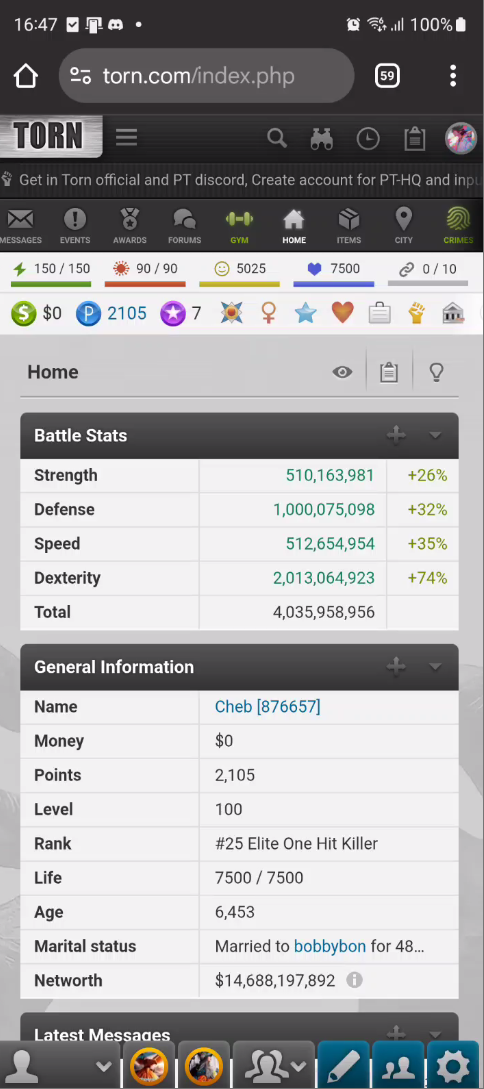
Hi, I know this might not exactly be torns issue but ever since getting my new phone the padding on the sides of all pages has gone and all page elements stretch the entirety of my phone screen which is quite jarring.


went from samsung S20 FE 5G to Xiaomi Redmi Note 5 Pro Plus. if that makes any difference.
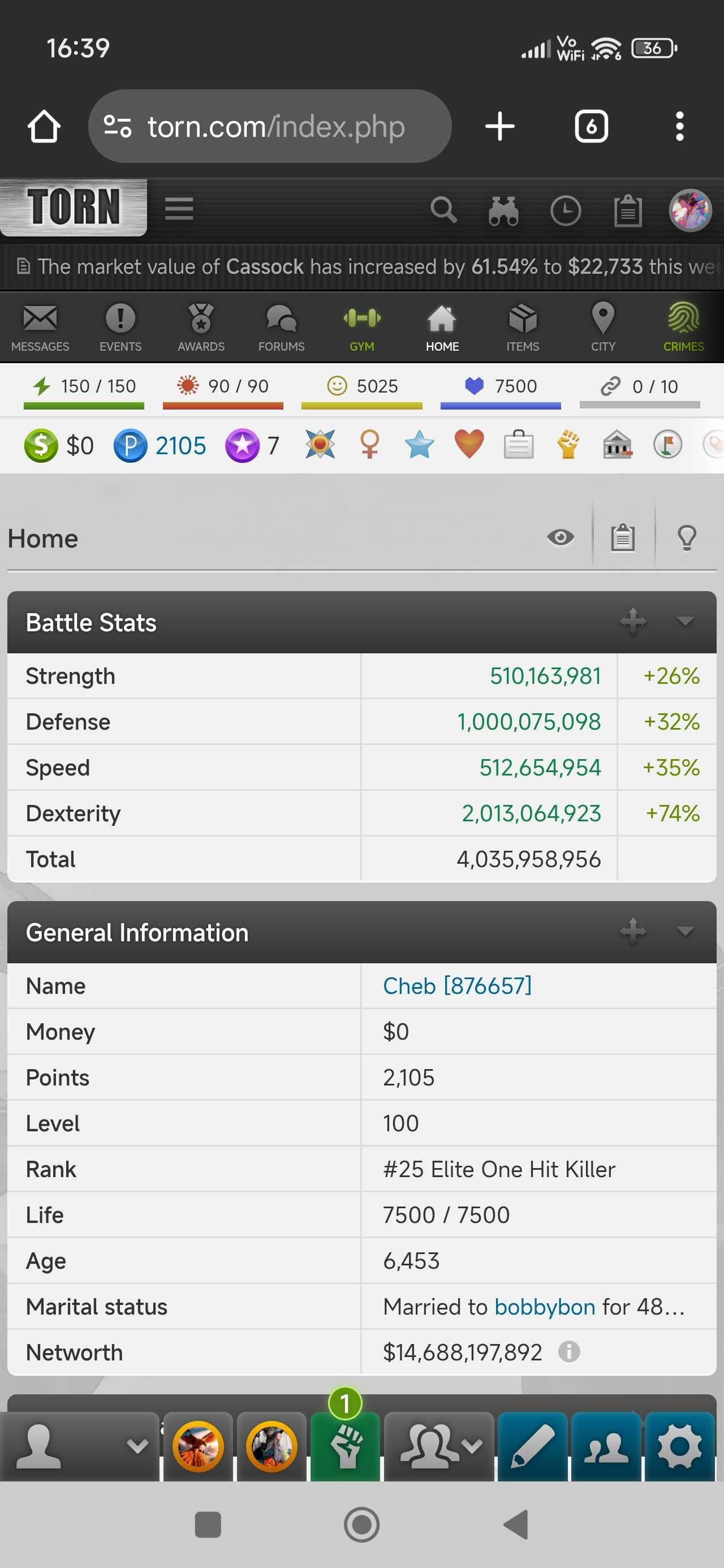


vs how it used to look:


also I thought torn's font would overwrite my phones default font but apparently it doesnt and that is also a minor thing that is bugging me if anyone knows how to fix that it would be appreciated.

Cheb [876657] Reporter

the font thing is annoying me as I can hardly make out names vs text in chats and headers and everything is the same hardness/boldness


CloudJumper [1636201]Staff

Torn UI basically expands to fill the available screen space, the viewport breakpoint on your new device is such that it allows the UI to go edge to edge. I am afraid there's nothing that Torn can do to force padding. Your best bet would be to play around in browser settings to change the zoom ratio and zoom out a little to get some padding if you absolutely want it.


Regarding the font, your system is forcing the custom font to be used across all the apps. And once again, Torn cannot override that. You should have some setting in your phone that prevents the custom font from being forced onto all apps. It might be under Developer settings, I am not 100% certain how MIUI handles custom font exactly. You may have to browser through Xiaomi forums to find a solution.


Thanks!

Cheb [876657] Reporter

thanks for the information, for anyone in my situation regarding fonts the best think I found was to get google sans.tff file in a .zip and changing the extension to .mtz then applying it through themes using zfont 3 kinda fixes the bolding issue to at least a useable standard. still not perfect but guessing thats the best im gonna get it. darkmode definitely helps with contrast also. ill try out your zoom suggestion, thanks again for your thoughts on it and letting me know its something ill have to sort locally :)

Sophie5683 [3957281]

I am not sure but you can give try to this :

( Note : i am not responsible for anything heheh ) 


[ don't forget to restart chrome after each step ] 

• Phone Settings >  Accessibility / Display >  High contrast text / Bold text / Custom font OFF or On


•  chrome://flags  ( search this in url bar, and maybe reset all ) 


• Chrome Settings > Data saver / light mode off


• 3 Dots >  Translate bar > Off


• If using Custom themes or font of Xiaomi Etc, Try to switch Default fonts.


• Update Chrome 


• Clear Cache of Chrome


•  System font reset :  Settings> Display > fonts/text style/theme etc


• open theme app ( if available)  > profile > fonts > change to default


• Chrome > site setting > maybe reset permissions.


Open fonts.google.com website, if all fonts are in different style, then its fixed i think 💥


I believe coz of this problem is theme of Xiomi but still u can try 😊 Hope it will help.


( note : I used Chatgpt too to research some stuff but who cares right hehe we just want to fix problem ) 💥