Torn Flipper
Pricelist parser, market margin comparison & local trade stats logging.
Hey all,
Built this script mainly to take the tedious manual calculations out of trading and flipping in Torn. It helps you quickly parse trader pricelists, spot margins against current market values, and keep a tidy local record of purchases and suppliers, mostly geared towards trading, but can be used for various purposes.
Rule Compliance (#16037108): 100% compliant with Torn rules. There is zero automated buying, selling, or trade accepting. All trades and interactions remain strictly manual.
What it does
Pricelist TrackerInput trader pricelists from W3 or TE sites, or raw pricelist data (may not always work), and track them in a custom list.
Margin & Price Comparison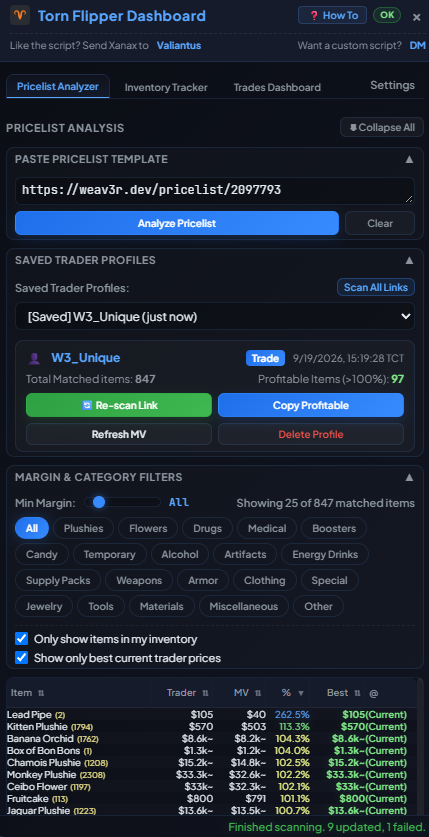
Compares trader buy prices against current market values so you immediately know your margins and potential profit before committing. (Image above, bottom part of the screen)
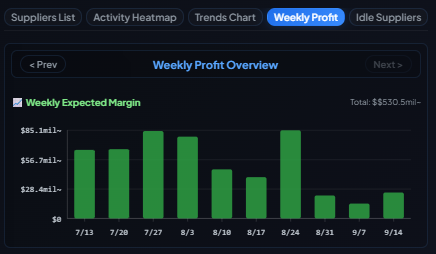
Trades DashboardSaves transaction summaries and trade history locally in your browser storage for easy record-keeping.
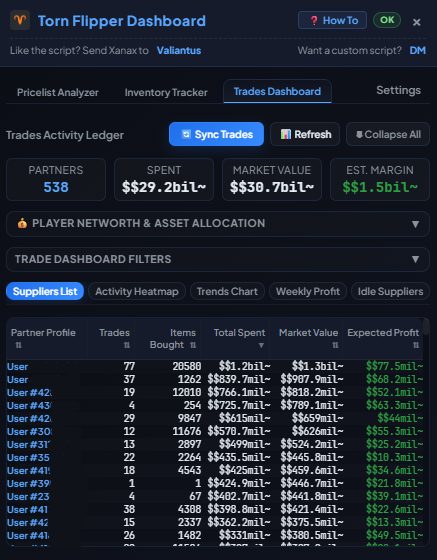
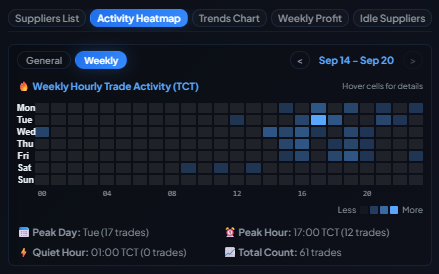
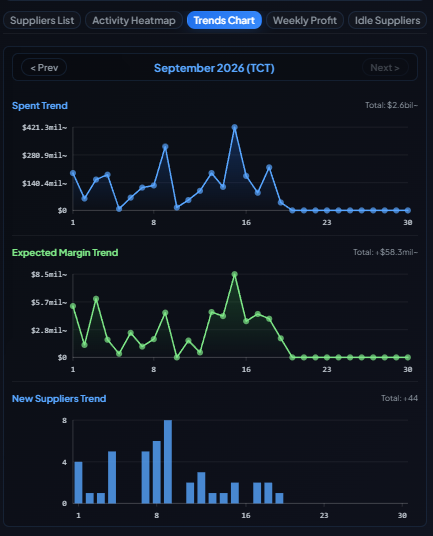
Activity heatmap, trends chart, weekly profits, and more!
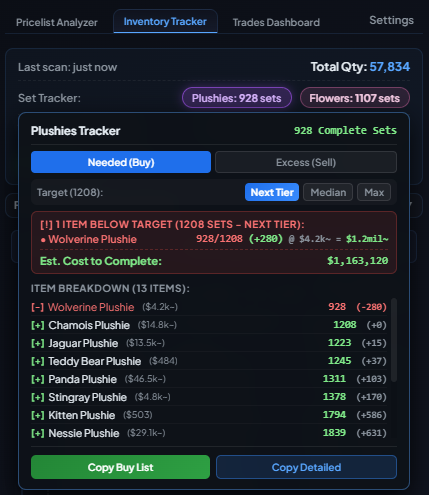
Inventory tracker
Plushie set and Flower set tracker and inventory junk scanner - just some QoL to help out trading.
Frequently Asked Questions
Q: What API key access level do I need?
A: You can use a Custom Access API key. The key creation link in Step 1 pre-selects the minimum required permissions (inventory, log, networth, profile under User, items under Torn) to read your trade logs, inventory, networth, and items database.
Your key and data is stored locally on your device.
Q: Does Torn Flipper work on mobile and Torn PDA?
A: Yes, should work! Torn Flipper has native responsive layouts for mobile and Torn PDA browsers.
Q: How is estimated profit calculated in Inventory Tracker?
A: Estimated profit = (Market Value × quantity) − (Purchase Cost × quantity). The script uses a LIFO matching algorithm on your trade and item logs. If an item has no purchase history, it falls back to your imported Weav3r pricelist or category trade rate configured in Settings.
Q: What does "%" mean in the pricelist table?
A: It shows the trader's price as a percentage of the item's Market Value. Since you scan for traders to sell your items to, you want this to be as high as possible. Above 100% means you are selling at a premium.
Install & Setup
1. Install via script manager: [GreasyFork / Direct Install]
2. Tested on Tampermonkey.
3. Requires an API key that is stored locally.
Feel free to post any feedback, questions, or bug reports here in this thread.
Part of Val Tools.
Mentions: Rules for Scripts, Addons, Extensions & Tools · Val Tools