“If you know the enemy and know yourself, you need not fear the result of a hundred battles. If you know yourself but not the enemy, for every victory gained you will also suffer a defeat. If you know neither the enemy nor yourself, you will succumb in every battle.”
― Sun Tzu, The Art of War
Hello again fellow Torn citizens! I am back again with another script/tool to help folks understand, and prepare for combat within Torn. Torn's Elephant Combat Helper (TECH) is small, yet deep tool that helps handle all sorts of data. This is not meant to be used alone however. Many people know about BSP, or Battle Stat Predictor, and it works side by side with BSP, as well as FF Scouter, and even Torn Stats!
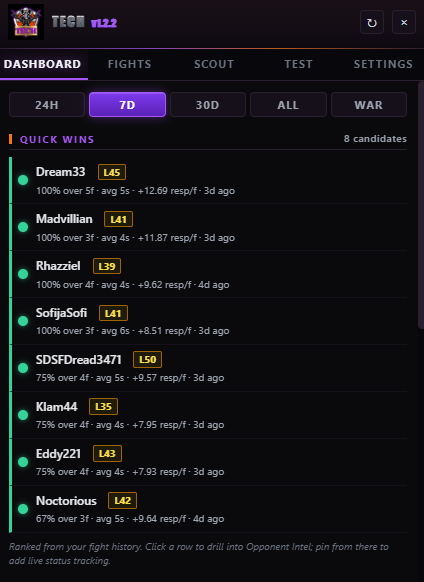
Let's start with the main dashboard. At the top will be a time selection for the data you want to see. This dictates things for both the Dashboard and the Fights tabs. Right below that is going to be Quick Wins. These are fights that based on your history, the system thinks would be an easy win for you to get if you needed/wanted to. Pretty straight forward.
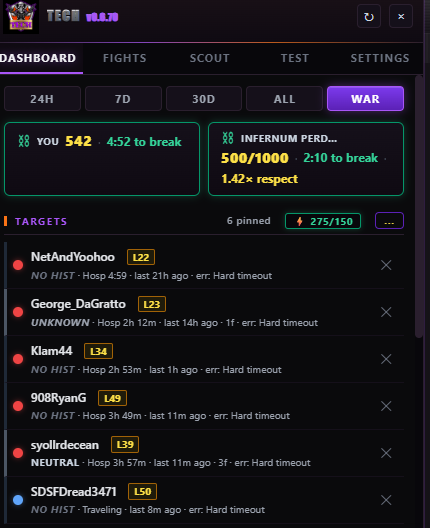
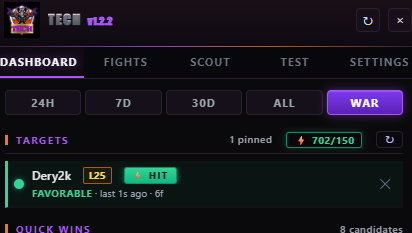
Now if you're at war, or have a chain going, you'll be able to see both your chain, and the enemy faction's chain, at the top of the page. If you're not at war, and/or there's no chain going on, you'll not see this. This is also where you can see your targets if you've set any up! Targets are selected players that you want to focus, and will sit at the top of the screen. When you have targets, you'll see your energy listed, as well as a "HIT" button next to targets who you can attack right now. Pressing "HIT" will take you to the attack screen.
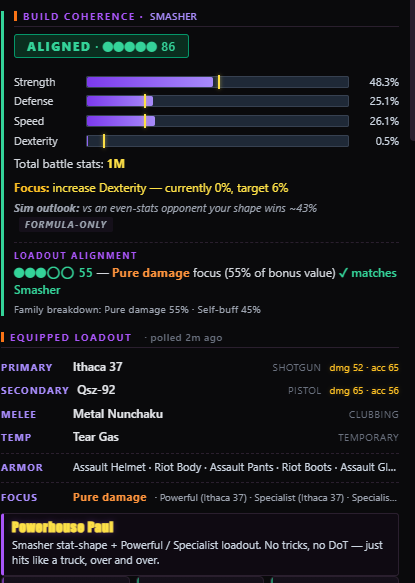
Next is the Build Coherence, Loadout Alignment, Equipped Loadout, and your "TECH Name" aka what it categorizes your build as. The build coherence is a guide based on how you want to build. You can set this up in the settings menu, and it helps guide your gym progress and shape your build into whatever type of killing machine you want to be! The loadout alignment gives you a rating based on what the system believes you should be using with your build. Equipped loadout, is pretty straightforward, it just shows what you have equipped for battle. And lastly is the "TECH Name", a category it sorts you into based on your build choices and TECH settings.
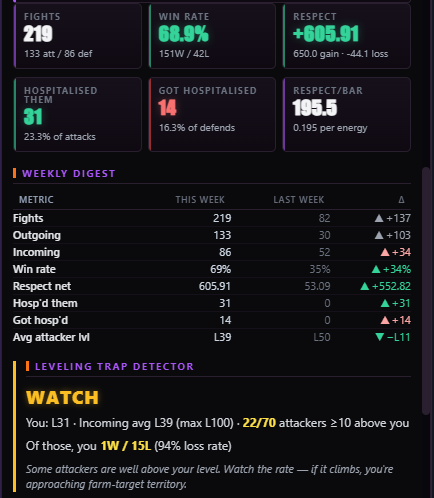
Onto the Weekly Digest, which breaks down your weekly activity in a way that is easy to follow, and can help you tracking wins, losses, respect, and more!
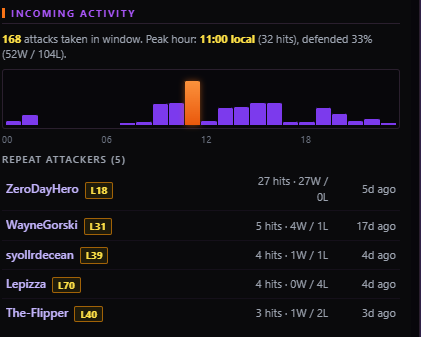
Incoming activity is a way to monitor your fights by time, as well as by who you're fighting with most recently. It also helps for tracking losses if you're loss buying/selling.
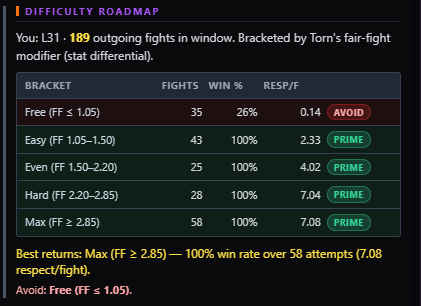
A difficulty roadmap gives advice on which targets to attack based on FF Scouter ratings.
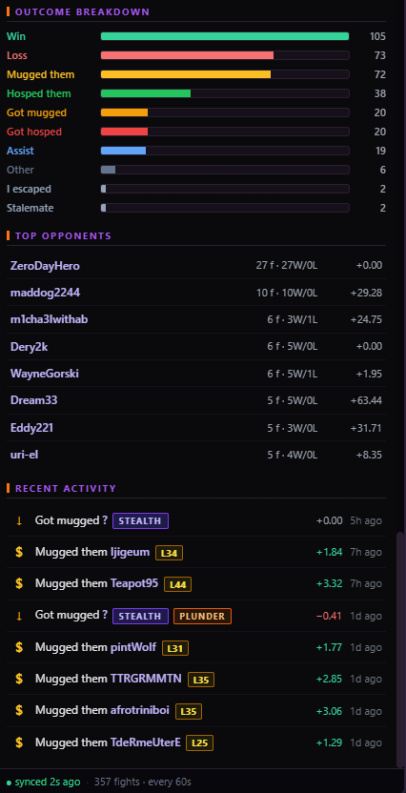
Finally we have the Outcome Breakdown, which shows a breakdown of your recent fights. The Top Opponents which shows the people you've fought the most within whatever time period you've selected. And recent activity shows all your recent results!
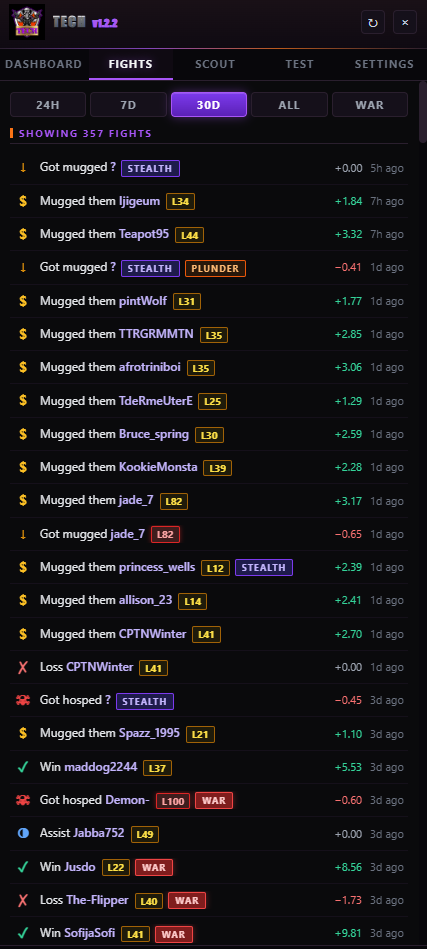
And now, moving away from the Dashboard, is the Fights page. And this is very simple, it just shows all of your fights, based on time selection.
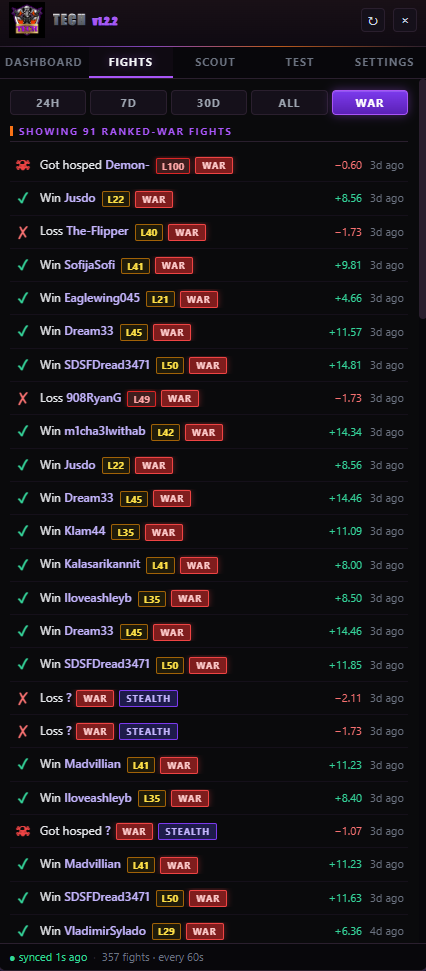
There's a selection for just war hits too!
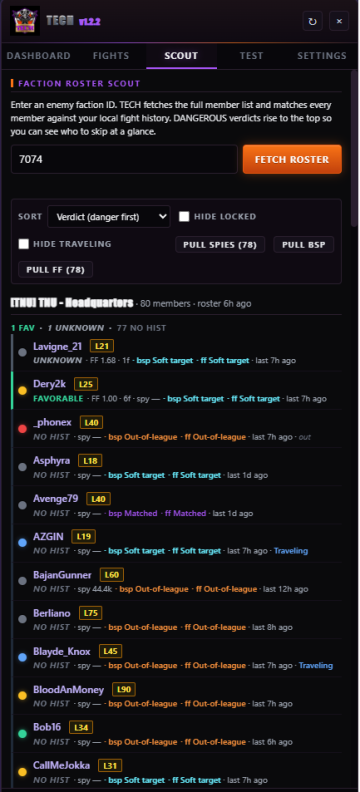
Next is a page all the stats nerds will love! The Scouting tab. Scout out enemy factions with spies, BSP, and FF Scouter, and then sort them by how dangerous they are, level, status, latest action, and more! Compare the stats and see which targets really are meant for you to hit, and which ones you should completely avoid! It also shows the status of each member, with the colored dots and status indicator.
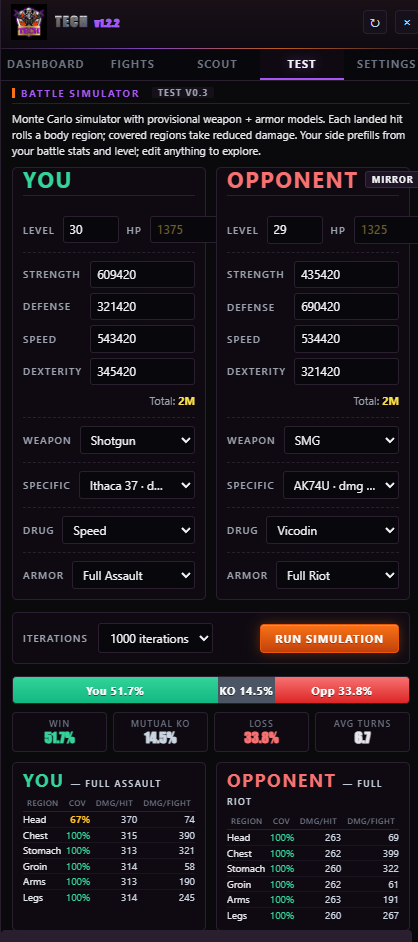
Next might be my favorite tab. The TEST tab. TEST stands for Torn's Elephant Simulation Tester, and it does exactly what it says it does. Lets you run simulation test battles, without having to waste a single energy! Set up your battle parameters, and simulate to your hearts content!
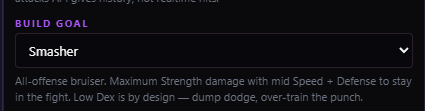
Last but not least we have the Settings, but only a couple things I'll go over here. First is the Build Goal, this is where you set your ideal build archetype for how you're currently or going to build your character into. Each option has a description so you can get as close as you can to your ideal build. Once you've chosen your build archetype, make sure to hit Save & Start. If your TECH ever stops polling for whatever reason, you can hit Poll Now to get it to do a new poll, and make sure it's running okay. Same thing will happen if you hit the refresh arrow at the top of TECH.

NOW THAT WE GOT ALL THE FEATURES OUT OF THE WAY! PHEW! Let's talk about what you need to run this bad boy. Not much! It's a Tampermonkey script, so it works directly with Tampermonkey in browsers. It does not currently work in PDA, but it will work on Firefox mobile, through Tampermonkey. Also while TECH is free, we highly recommend you get BSP and FF Scouter to make sure you can use this tool to it's fullest potential. We highly recommend you subscribe to those services because it will get you the most accurate data for wars and opponents. I have spoken directly with BSP's TDup and FF's Glasnost to let them know I was integrating stuff into TECH.
WHERE TO GET BSP: https://www.torn.com/forums.php#/p=threads&f=67&t=16290324&b=0&a=0
WHERE TO GET FF SCOUTER: https://ffscouter.com/
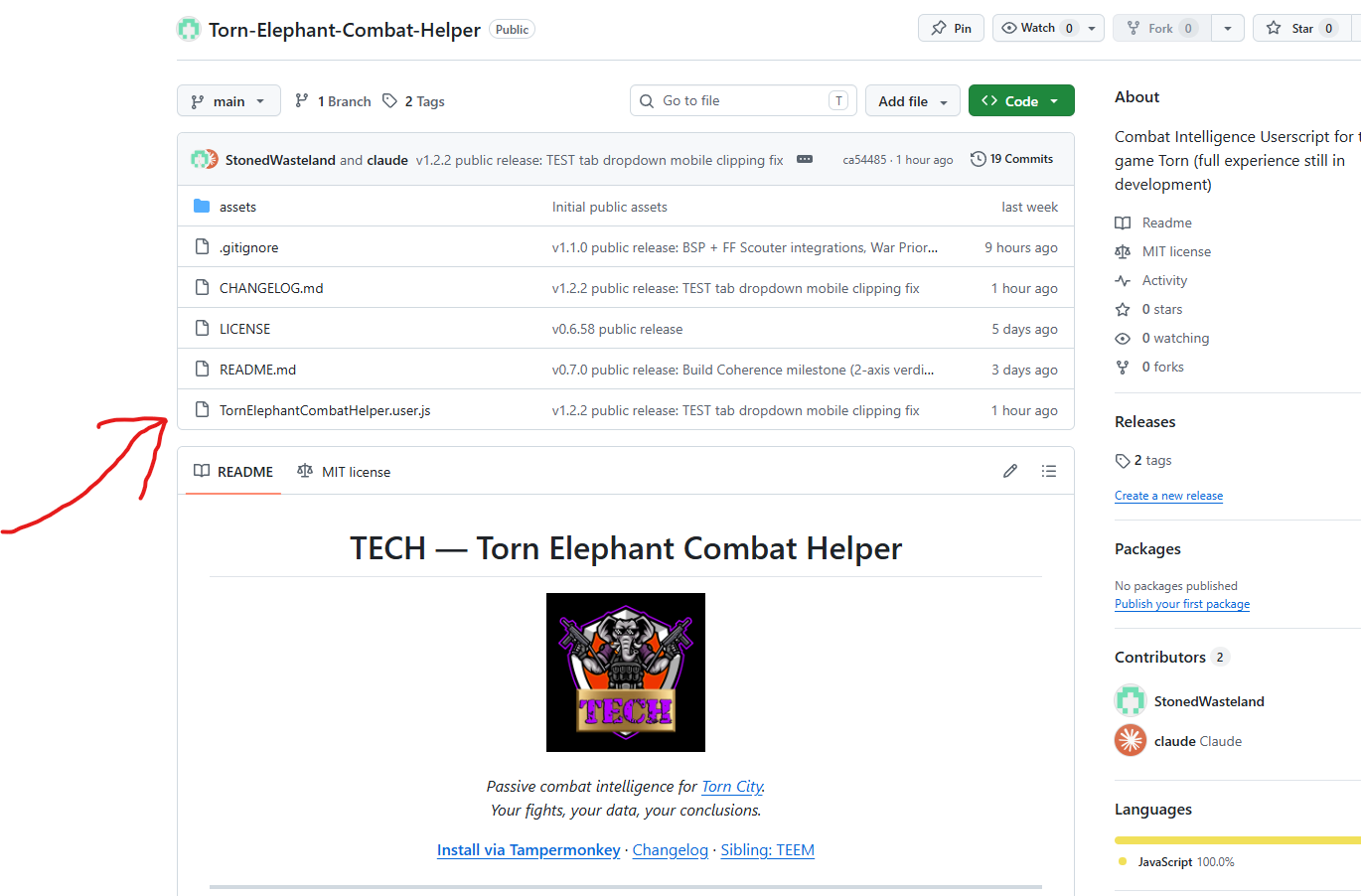
WHERE TO GET TECH: https://github.com/StonedWasteland/Torn-Elephant-Combat-Helper
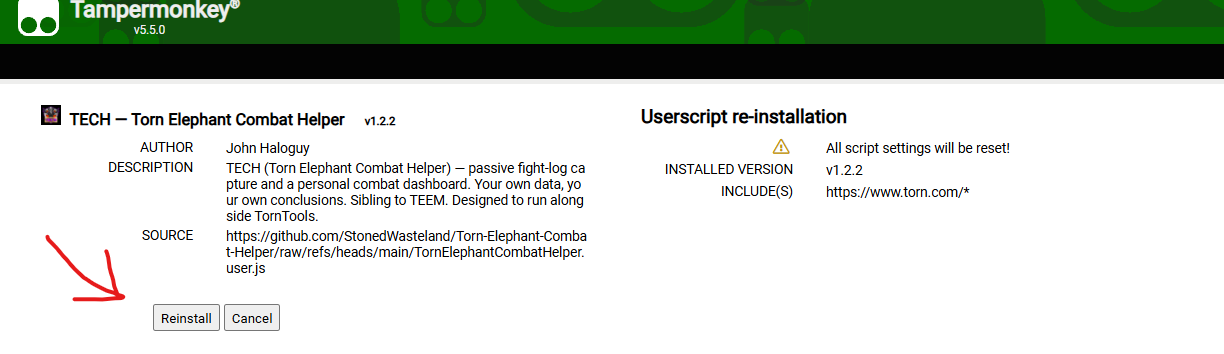
FOLLOW THESE SCREENSHOTS TO DOWNLOAD IT PROPERLY! NICE AND EASY! CLICK ON THE ACTUAL SCRIPT, THEN CLICK ON RAW, IT WILL TAKE YOU TO THE TAMPERMONKEY PAGE, FROM THERE HIT THE BUTTON THAT SAYS INSTALL. (For me it was reinstall, or update, based on what version you have.)





















![[image: i.imgur.com]](https://i.imgur.com/tqxKssq.png)