Skip to content
TORNLIFE More

Tw33k: forum

Tw33k [4380373] Level 21 Existence Ex Member

Forum posts (Torn's count)
87 observed
Archived posts
85
Threads started (archived)
7

Boards

From the 85 newest archived posts.

Threads started

Most-liked posts

Likes as archived at fetch time, adjusted for how long each post had been up. Scored posts only; the full score pass runs after the import.

[Script + PDA] Tw33k - Dopewars PDA Edition · · 9 likes

Tw33k Tools - Dopewars PDA Edition


A free Tampermonkey userscript for Torn, purpose-built for Torn PDA. A classic Dopewars-style buy-low-sell-high trading game, now reachable from anywhere on the site so you can jump in any time, not just mid-flight. Fully offline and client-side: no Torn API key, no reading or writing anything about your Torn character. It's a self-contained side game that happens to live inside Torn.
Tw33k Tools - Dopewars PDA Edition (Walkthrough, v1.7.1)


How it starts

Drops a small launcher (a screen-edge tab by default, or the shared Tw33k Tools floating icon - see Display below) on any www.torn.com page. Tap it to open the game panel; tap again to tuck it away. Progress saves automatically after every action, so closing the panel or navigating away doesn't cost you anything.


The core loop

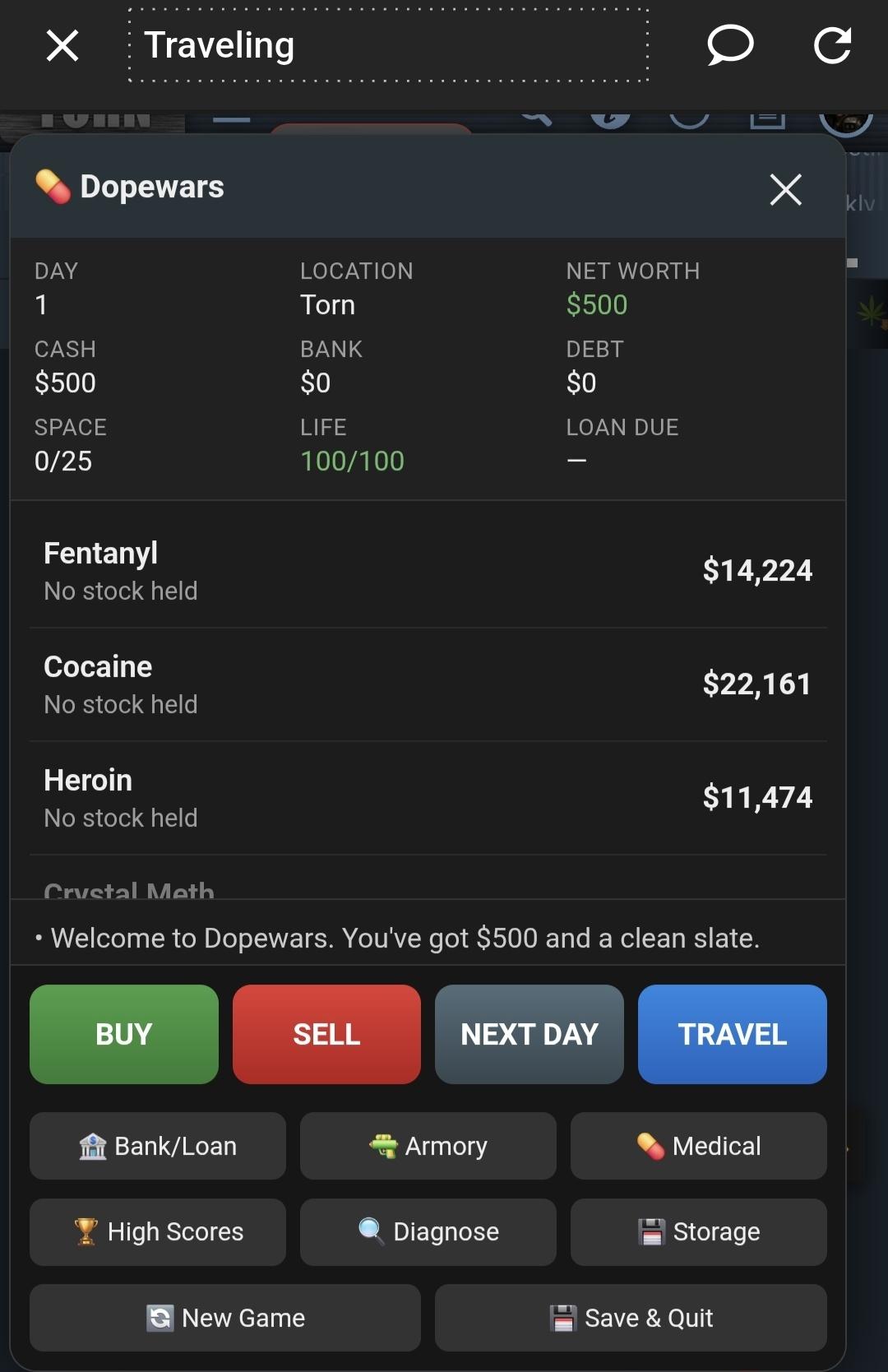
BUY / SELL / NEXT DAY / TRAVEL: four big touch buttons, no keyboard needed. Tap a drug in the list to select it, then Buy or Sell opens a quantity picker (+1/+5/+10/+25/+50/+100, MAX, CLEAR). Next Day advances the clock without moving. Travel opens a picker for the other 11 markets, costs a day, and now costs airfare too - $800 to $2,000 depending on how far the destination is, shown on each button before you commit. Cheap short hops (like Mexico from Torn) sit near the bottom of that range; the long hauls (South Africa, especially from Torn) sit near the top. Can't afford the fare, the destination just won't let you tap it.


The markets

12 locations: Torn plus the 11 real Torn travel destinations, each with its own prices for a 12-item modern drug list (Fentanyl, Cocaine, Heroin, Crystal Meth, MDMA, Oxycodone, Ketamine, LSD, Xanax, Adderall, Psilocybin Mushrooms, Cannabis). Prices are generated deterministically from a per-game seed and the day number, so refreshing the page can't reroll a bad market. The same day always shows the same prices.


Location bias is grounded in real-world drug trafficking and use data (UNODC, EMCDDA, DEA), not arbitrary: Torn itself is priced like a diversified NYC-style hub, moderately cheap on most things rather than specializing.


Sold out & dead market. A location can run out of stock, which blocks buying, but selling still works there, at a 65% premium, since the scarcity that emptied the shelves means demand for what you're carrying just went up. Worth flying with a full bag - and if you own a property, worth reading the Property section below on keeping some of that bag somewhere the cops can't find it.


Random daily events: price spikes, price crashes, someone leaving product behind, or a quiet day.


Debt & the loan shark

Start with $500 and no debt. The loan shark is opt-in, not forced. Borrow up to $5,000 at a time from the Bank tab whenever you're short; only one loan can be outstanding at once. Debt compounds 10%/day. Leave it unpaid 30 days and collectors show up. Pay, Fight, or Run. Winning or fleeing without paying doesn't buy you another 30 days; the clock only resets when money actually changes hands, so unpaid debt keeps the collectors coming back.


Trouble

Three kinds of encounters, each with real stakes:

- Cops are triggered by carrying product. Run, Bribe, or Fight. Losing costs your stash and some life; a "shots fired" roll deals serious damage on top. Note: cops only ever check what's in your coat - anything sitting in a property's stash (see Property) is never at risk.

- Loan shark's collectors show up once your debt clock runs out. Losing means forced collection: they take what you're owed, maybe more if you're carrying extra cash, plus a beating.

- Muggers are random, independent of what you're carrying. Fight, Run, or Surrender a cut of your cash to avoid the risk entirely.


The City

One button - City - is the hub for everything that isn't buying or selling drugs: Bank/Loan Shark, Armory, Hospital, Casino, Stock Exchange, and Property. Tap City from the main screen, then pick a destination. Each is covered below.


Gear (Armory)

Weapons (Fists > Baseball Bat > Glock 18 > BT MP9 > ArmaLite M-15A4) improve your odds in every fight; outerwear (Pockets 25 > Jacket 40 > Duster 60 > Trench Coat 80 > Fur Coat 100) raises how much product you can carry in your coat. Both are one-way upgrades - buy the next tier up. Names match real Torn items; stats and prices are Dopewars' own balance, not imported from Torn.


Medical (Hospital)

Bandage, Med Kit, and Trauma Kit heal you back up when cash allows. Same three items as before, just filed under "Hospital" in the City menu now instead of "Medical."


Casino

Five games, all reachable from City > Casino, all played with straight cash (no separate chip currency):

- Slots - three reels, six symbols. Three of a kind pays out (4x up to 120x depending on the symbol); any exact pair pushes your bet back. Reels spin and land with a bit of animation before the result shows.

- Roulette - a real single-zero wheel with the correct European pocket layout and colors. Bet Red/Black or Odd/Even (1:1) or a dozen (2:1), then watch the wheel spin to the result.

- High-Low - guess whether the next card beats the current one. Correct guesses raise a multiplier; cash out any time you're ahead, or keep pushing your luck. A tie is a push (redraw, no change). Busting loses the whole bet. Your session survives closing the game or reloading the page, so you can never lose a live round to a stray tap.

- Blackjack - standard rules, dealer stands on 17+, blackjack pays 3:2, double down available on your first move.

- Video Poker - built as Caribbean Stud: you get 5 cards, the dealer shows one of theirs, then you Fold or Call (a 2x raise on top of your ante). The dealer needs Ace-King high or better to "qualify" - if they don't, your ante pays and the raise just comes back. If they do qualify and you win, the raise pays out on a scale from 1:1 (a low pair) up to 100:1 for a Royal Flush.


Stock Exchange

City > Stock Exchange gives you six tickers to trade, each with its own personality:

- TCP (Torn City Petroleum) - steady, low-volatility, decent dividend.

- GLD (Torn Gold Exchange) - the safe haven of the six.

- ARM (Ironclad Armory Corp), FLY (Torn Air Charter), FNG (Fang Pharmaceuticals) - the mid-risk middle of the pack.

- SYN (Synthetics Inc) - the wild one: highest growth potential, highest day-to-day risk, no dividend at all.


Buy and sell by whole shares (+1/+5/+10/+25/+50/+100, plus +1K/+10K/+100K/+1M for bulk trades, and a BUY MAX button that spends everything you've got). Any ticker that pays a dividend pays it automatically each day you hold shares through Next Day or Travel.


Day-to-day price movement is small on purpose. The real swings come from news events - each ticker occasionally gets hit with a multi-day run, good or bad, with an actual headline ("Synthetics Inc releases new drug to the applause of many.", "Torn Air Charter suffers plane crash.") logged the day it starts. You won't be told how long a swing lasts or how big it'll get - that part's a read, not a readout. A little newspaper icon marks a ticker currently mid-swing, both in the ticker list and on its own trade screen.


Every ticker's trade screen has a price history graph with 1 week / 1 month / 1 year views. On a save too young for the range you pick, the graph doesn't leave blank space - it extrapolates the same price model backward, so even a brand-new game's "1 year" chart shows a believable history for that stock leading up to day 1.


Property

City > Property is a 7-tier ladder using real Torn property names, in the same order Torn uses them, scaled down to fit this game's economy: Shack ($10,000) - Detached House ($50,000) - Villa ($200,000) - Mansion ($1,000,000) - Ranch ($5,000,000) - Castle ($20,000,000) - Private Island ($100,000,000). No daily upkeep - buy once and it's yours.


You start homeless. Buying your first property moves you in automatically. Buy more later and they just sit there earning rent (0.4% of their price, paid daily) until you choose to move into a better one from the Property screen.


Whichever property you're living in gives you a hidden stash, separate from your coat - bigger properties hold more (50 units for a Shack, up to 5,000 for a Private Island). Deposit and withdraw drugs between your coat and your stash from the Property screen any time. Since cops only ever check your coat, anything in the stash is never at risk from a search.


Selling a property refunds 75% of what you paid. You can't sell your current residence if what's in the stash wouldn't fit wherever you'd land afterward (your next-best owned property, or homelessness) - withdraw some first. Selling your home auto-moves you into the next best one you own, or back onto the street if that was your only one.


Menu

BUY - SELL - NEXT DAY - TRAVEL - City (Bank/Loan Shark, Armory, Hospital, Casino, Stock Exchange, Property) - Settings - High Scores - New Game - Save & Quit


Settings

Display - Edge tab or Floating icon. Floating icon mode puts the launcher on the shared Tw33k Tools floating icon alongside Mugging Advisor and Market Watch - one draggable icon that fans out into whichever of those scripts are also set to floating.


High Scores

Ending a run by choice (New Game) or by running out of life logs your final net worth to a local top-5 list, tagged if it ended in death. Net worth now folds in everything: cash, bank, debt, stock portfolio value, and property resale value - not just cash and bank like the early versions.


Requirements & privacy

No API key, no login, nothing sent anywhere. Everything - cash, inventory, gear, stock portfolio, property, high scores - lives in your browser's local storage on your device.


What it doesn't do

No connection to your real Torn character, stats, money, or inventory. No automation, no auto-travel, no in-game actions of any kind. It's a game that happens to sit inside Torn, nothing more.
 

[Script + PDA] Tw33k - Market & Travel Calc · · 4 likes

Tw33k Tools Market Watch

https://greasyfork.org/en/scripts/589863-tw33k-tools-market-watch

.

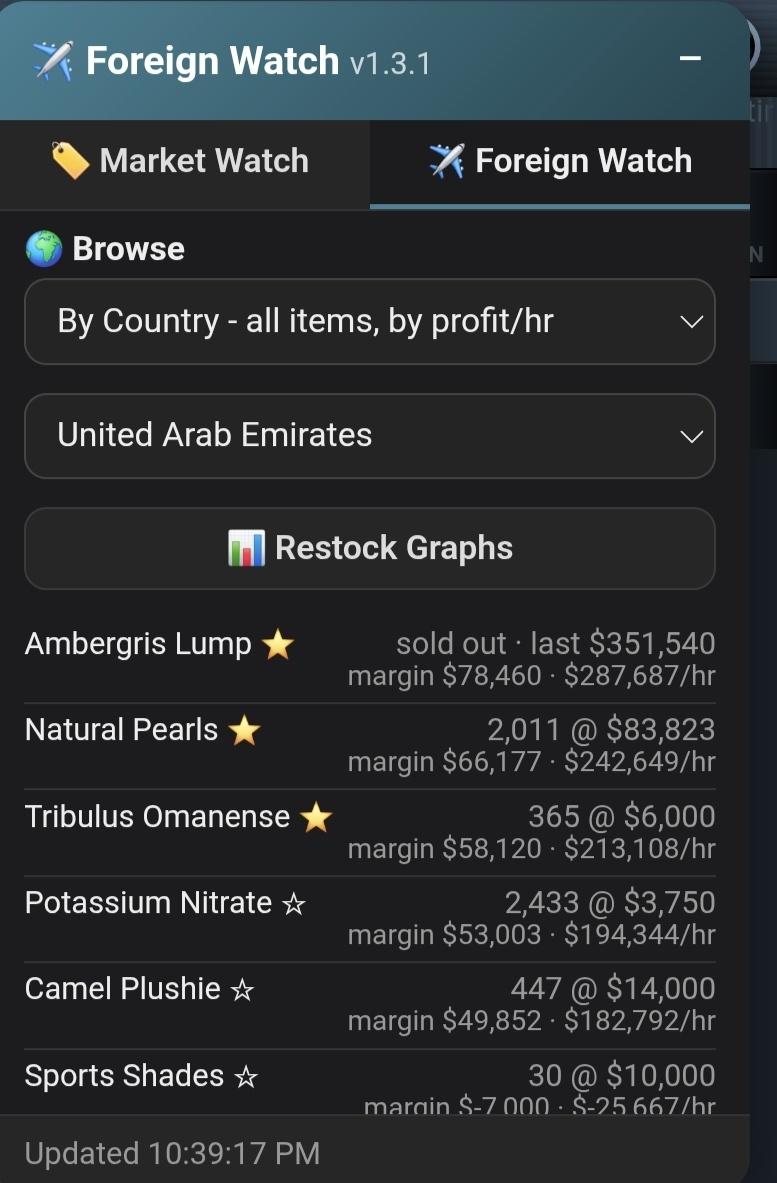
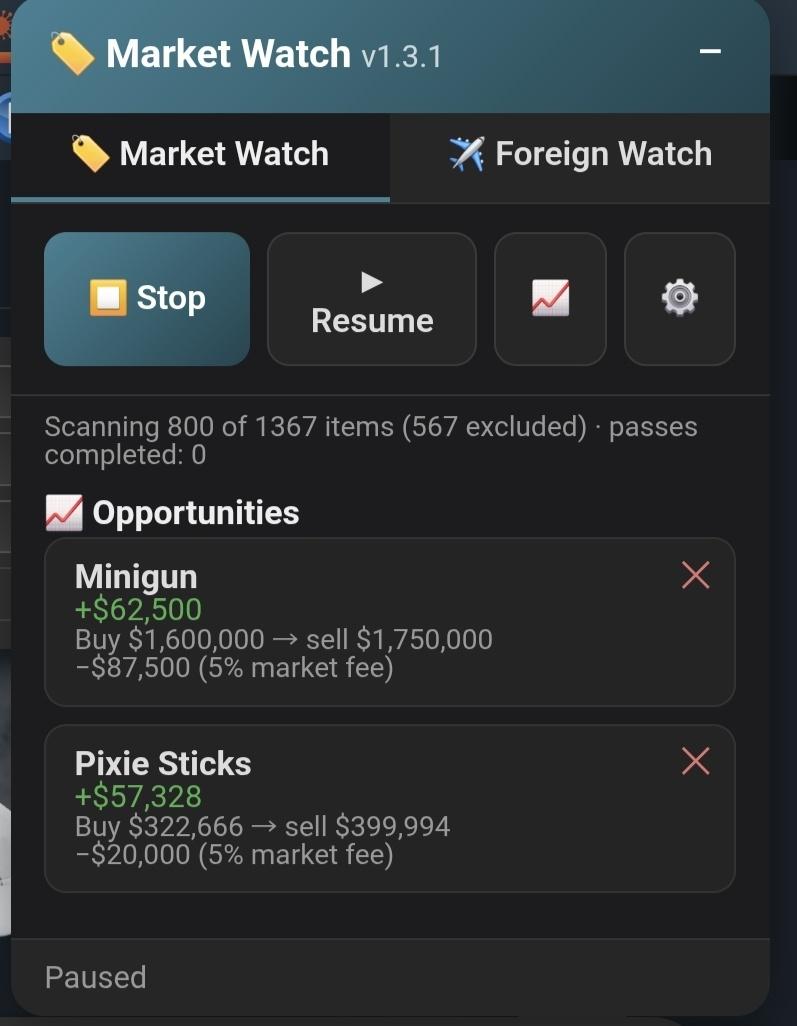
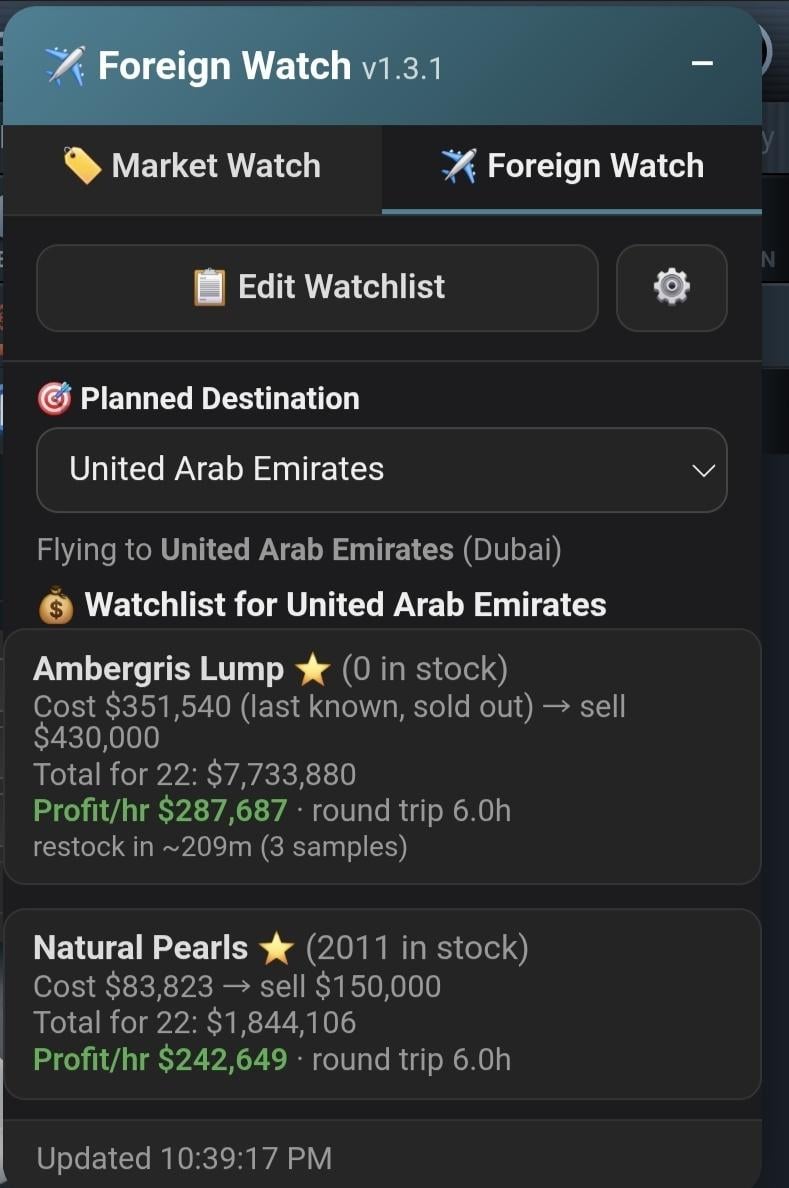
A free Tampermonkey userscript for Torn. Tw33k Tools Market Watch scans Torn's full Item Market catalog for flip opportunities (net of the 5% market fee) and builds a searchable local price history for every item it scans. Its Foreign Watch tab tracks foreign stock data, estimates restock timing from observed cycles, and surfaces live shop and Item Market margins for items sold abroad, browsable by country even before you fly.


Two tabs

The panel is split into 🏷️ Market Watch (the item flip scanner) and ✈️ Foreign Watch (foreign stock tracking), switchable at the top of the panel.


=== 🏷️ Market Watch tab ===


What it does

Scans every item in Torn's Item Market, pulling the 1st and 2nd lowest listing for each. When the gap between them (net of Torn's 5% market sell fee) clears your margin threshold, it surfaces the item as an opportunity: buy at the 1st-lowest price, undercut the 2nd-lowest to sell. Runs as a continuous loop — finishes the catalog, then starts over.


Core features

Opportunity feed — Live list of qualifying flips, sorted by margin, with buy/sell prices and the fee already netted out. Copy any item name straight to clipboard.


Filters — Set a minimum item price (skip low-value junk) and an optional maximum price ceiling (items above it get excluded from future passes entirely, shrinking the scan). Set a minimum margin so only real opportunities show.


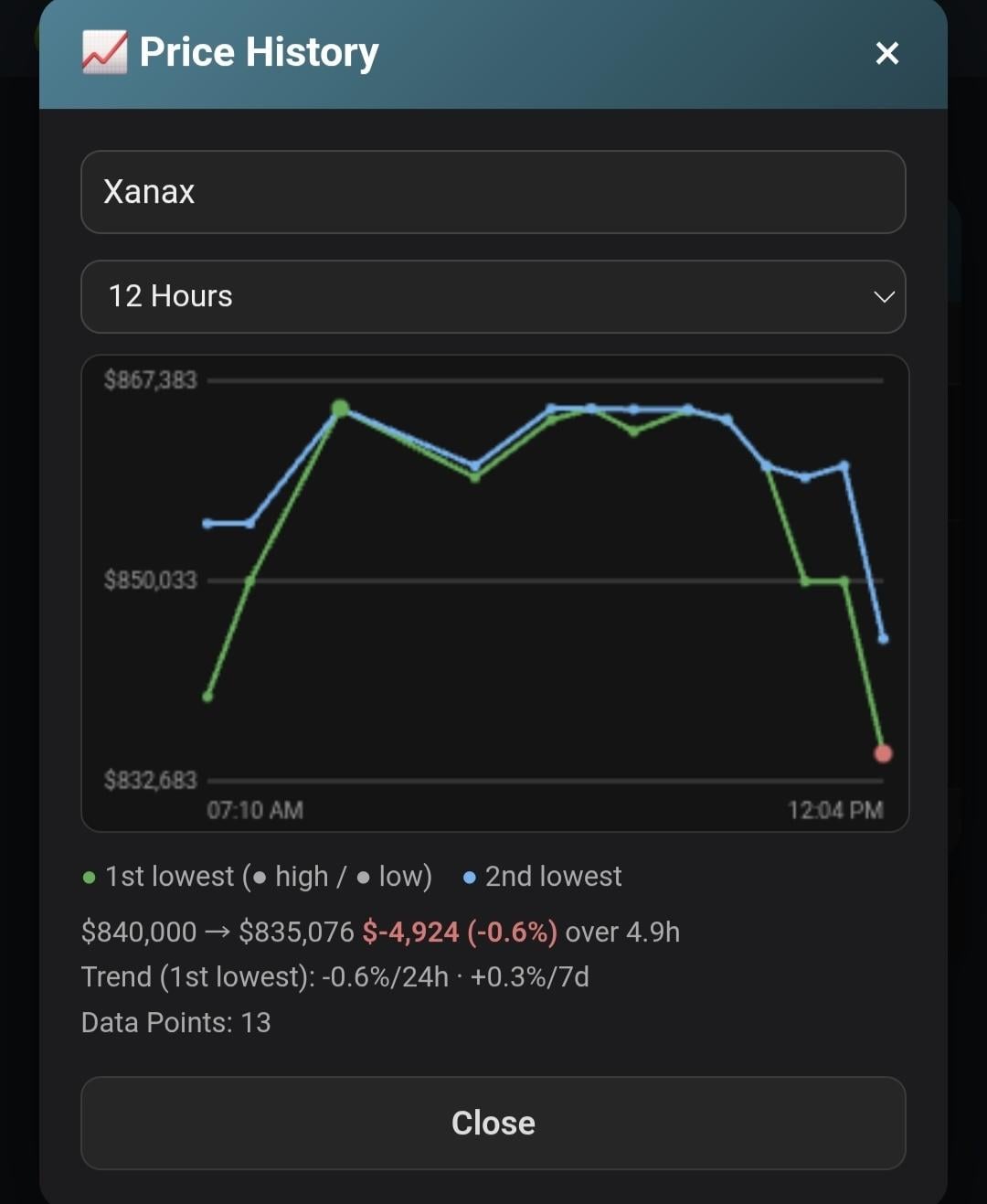
Price History — Every scanned item's 1st/2nd lowest price is timestamped and stored.


Searchable graph: type an item name, see both lines plotted plus a day/week rate-of-change readout.


Rate limiting — Configurable requests-per-minute (default 40, cap 100) to stay within Torn's API limits and leave headroom for other tools sharing the same key.


Multi-tab safe — If you have the script open in multiple tabs, only one becomes the active "leader" doing the scanning; others follow along without double-requesting.


Sound alerts — Optional chime when a new opportunity first qualifies.


=== ✈️ Foreign Watch tab ===


What it does

Tracks foreign country stock — what's in each country's item shop, how much it costs, and how it moves — so you can decide where to fly and what to buy before you've even left Torn.


Planned Destination & Watchlist

Pick the country you're planning to fly to. That sets up a per-country watchlist: 1 primary item plus up to 3 fallbacks, edited from the "Edit Watchlist" button. Each country keeps its own separate watchlist.


Browse — three views

- By Country — every item that country sells, ranked by profit/hour, whether or not you've starred anything.

- By Time — starred items only, ranked by soonest estimated restock (Lift-Off) across all the countries you've starred items in.

- By Profit — starred items only, ranked by profit/hour regardless of timing.

Tap the ☆ next to any item in Browse by Country to star it — starred items are what populate By Time and By Profit, and star state is shared across all three views.


Restock estimation ("Lift-Off")

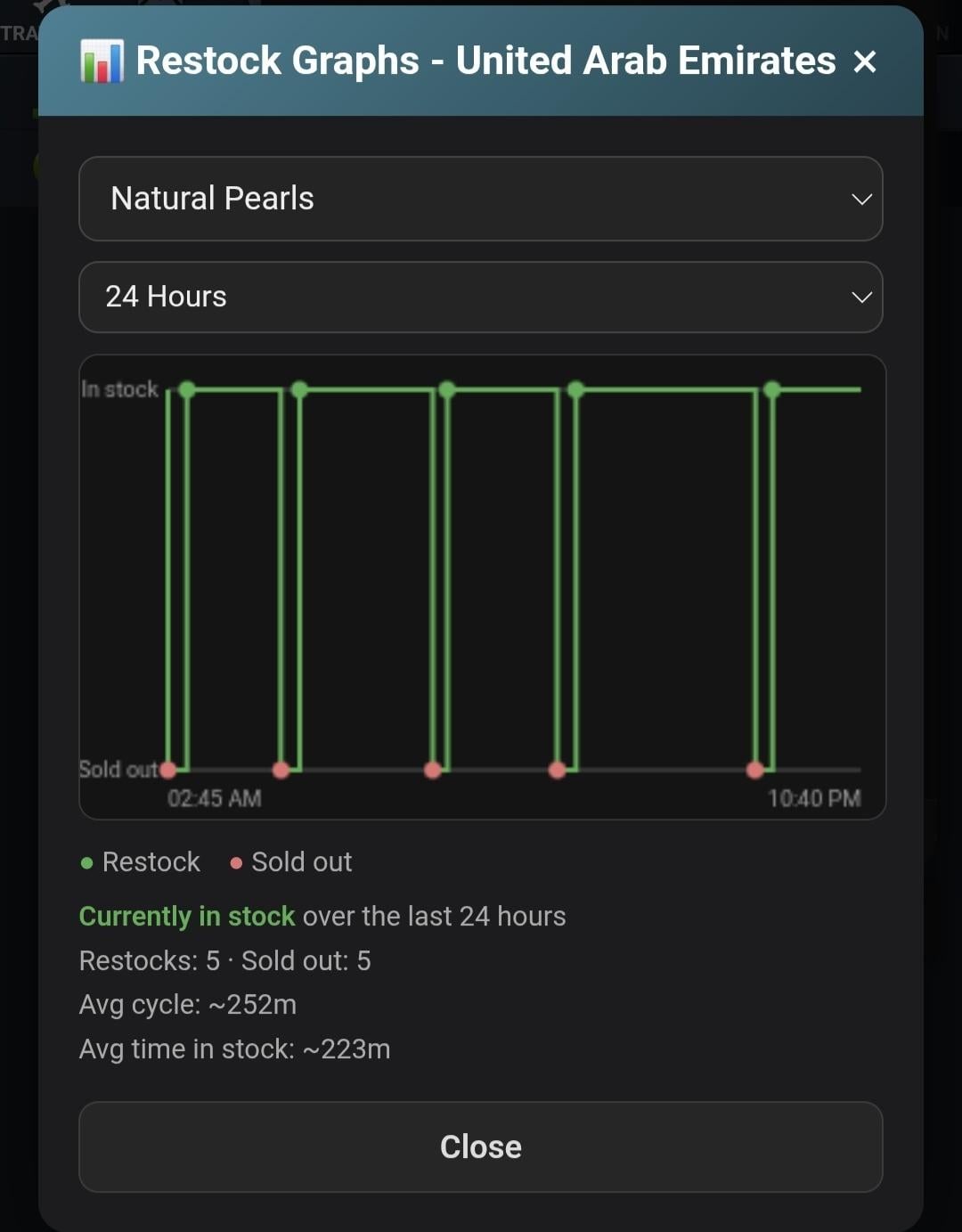
The script watches each item in each country for sold-out → restock transitions and keeps a rolling log of the gaps between them (48-hour retention). From that history it estimates: average restock interval, confidence based on sample count, and an ETA — refined further by scraped real flight times for your configured travel mode, so the estimate accounts for how long it'll actually take you to arrive. "Lift-Off" itself is the estimated moment you'd need to depart from Torn to land right as the item restocks. Restock Graphs (under Browse by Country) plot a given item's observed restock history.


Lift-Off Alarm

From Browse by Time, arm a one-time alarm (🔔 → ⏰) on a specific upcoming Lift-Off window. When the countdown hits zero, it plays a chime — only available while you're in Torn and not currently traveling, since the alarm is timed to an actual departure.


Restock alerts

Separately, individual items can be flagged for a "play a sound when this restocks" alert, independent of starring.


Foreign Watch settings (⚙️ next to Edit Watchlist)

Travel item capacity and Travel mode (Standard Airline, Private Island Airstrip, Private Plane via WLT stock, Business Class Ticket) — both feed directly into the profit/hour and Lift-Off math.


=== Shared ===


Menu (Market Watch tab)

▶ Start/⏹ Stop · ⏸ Pause/▶ Resume · 📈 Price History · ⚙️ Settings


Settings

API key, min. item price, max. item price ceiling, min. margin, requests/minute, Theme, **Display** (Edge tab or Floating icon), sound toggle, re-include excluded items, clear price history.


Display: Edge tab vs Floating icon

By default the launcher lives as a small tab on the screen edge. Switching to Floating icon instead puts it on the shared Tw33k Tools floating launcher alongside Mugging Advisor and Dopewars — one draggable icon that fans out into whichever of those scripts are also set to floating.


Requirements & privacy

Needs a Torn API key with Item Market access. Everything runs locally — your key and data never leave your device.


What it doesn't do

No auto-buying, no auto-selling, no in-game actions of any kind. It scans, calculates, and shows you opportunities — you decide what to act on.


MIT License

Created by Tw33k

[Script + PDA] Tw33k - Mugging Advisor · · 3 likes

Tw33k Tools - Mugging Advisor


A free Tampermonkey userscript for Torn. Scores players as mug or war targets using battle-stat estimates from FFScouter and YATA - drawn from Torn's own "People" list (abroad or at home), an enemy faction's member list, or a continuously self-maintaining list of bazaar sellers built from third-party marketplace data. Runs right on the page you're already looking at, so there's no separate window to babysit while you're picking targets.


What it does

Depending on the source you've selected (see below), pulls a list of player IDs, gets a battle-stat estimate for each from FFScouter, and sorts them so the safest targets rise to the top. YATA fills in as a second estimate afterward, one player at a time in the background, since YATA has no bulk lookup of its own.


Three sources

=== People/Abroad ===

The "players in this country" list, both abroad and at home. Scanned straight from the page DOM.


=== Faction ===

An enemy faction's member list, for picking war targets. Comes from Torn's own API rather than the page, so it works even off the faction's own page as long as a faction ID is already cached from a previous visit. Landing on your own faction's page shows a notice instead of a target list.


=== Bazaar ===

A continuously self-maintaining list of the top 50 bazaar sellers, ranked by how cheaply they're pricing whichever items you've chosen to watch. Unlike the other two sources, this one isn't refresh-triggered - a background process builds and maintains it on its own, all the time, whether or not the panel is even open.


How it's built:


  • You choose up to 20 items to watch via Manage Scanned Items in Settings (see below). A background scan works through that list continuously, roughly once every 10 minutes per item.
  • Scoring is pure price competitiveness: for each watched item, the cheapest listing scores full points, the priciest scores none, and everything between scales linearly. Quantity doesn't matter at all - a seller with one unit at the best price outscores a seller with 500 units at a worse one. Being cheapest on more than one watched item stacks - it's not capped at "cheapest on one thing."
  • Candidates are filtered by your Max Bazaar FFS setting, excluded if they work a 7-star+ Clothing Store (75% mug protection, so not worth a slot), excluded if they're in your own faction, and confirmed to have a genuinely open, stocked bazaar via Torn's own API - not just inferred from stale marketplace data.
  • The first time this builds (a fresh install, or after a Force Bazaar Rebuild), it can take 2 minutes or more to fill all 50 slots - the status bar shows live progress while it works. After that, it maintains itself: each of the 50 shown targets gets automatically rechecked on a rolling basis, roughly once every 15 minutes, and any single check happening right now shows in the status bar as "Checking [name] (N/50)...".
  • A target that fails a recheck (FFS drifted too high, took a Clothing Store job, closed their bazaar) shows "Disabled" in gray for 15 seconds before being swapped for a fresh candidate. Someone dropped this way isn't permanently blacklisted - they're eligible to come back the moment their situation changes.
  • A target found during an active search but rejected outright (rather than dropped during a routine recheck) is excluded from being re-suggested for 60 minutes, then automatically becomes eligible again on its own - no action needed.


Sold Out

A target who's still genuinely open, still safe, but no longer carries ANY of your watched items gets treated differently from a normal failure - this usually means they just sold through their stock, which is a good sign they have cash on hand rather than a reason to drop them. Their row gets a distinct amber highlight and a "💰 Sold Out - Act Now" badge, and - unlike a normal disable - their Attack link stays fully active the whole time. This state lasts 60 seconds, after which the target rolls into the normal disable-and-replace flow like anything else. An optional Sold Out Alarm (Settings, off by default) plays a distinct 3-tone alert the moment this is detected, so it's noticeable even if you're not actively watching the list.


Manage Scanned Items (Settings)

Choose which items the Bazaar source watches - up to 20 at a time. Opens a searchable, categorized picker (grouped by Torn's own item categories) with live item names pulled from Torn's API and cached for a day. Deselecting an item automatically clears its stale scan data, so nothing lingers and quietly keeps influencing scores after you've removed it.


Force Bazaar Rebuild (Settings)

Wipes the current 50 targets, cached profiles, and scanned item data, then rebuilds everything from scratch - the same ~2-minute-or-more process as a first install. Use this after changing your scanned item list in a way you want reflected immediately, or if the list seems stuck.


IMPORTANT CAVEATS


  • This ranks by live price competitiveness on your watched items, not confirmed cash on hand. It's a circumstantial signal - a seller can convert a sale to banked cash before you ever reach them, which is exactly what the Sold Out state is trying to flag.
  • Weav3r.dev, a third-party service independent of Torn's own API, is used to find and rank candidates by scanning marketplace listings. It can be wrong, stale, slow, or unavailable. Whether a candidate is actually reachable (bazaar open, job, fair fight) is always confirmed separately against Torn's own API before they're ever shown, though - Weav3r only decides who gets considered, not who's shown as safe.
  • Bazaar-sourced targets cost real Torn API calls to verify (profile, job, bazaar status) - this is the one part of the feature that spends your Torn API budget, paced carefully to stay well under Torn's rate limits even during a full rebuild.


Own faction is never shown

Whichever source you're viewing, anyone in your own faction is automatically filtered out - they can't be attacked anyway, so there's no reason to burn an FFScouter/YATA lookup scoring them or clutter the list with someone you could never hit. Landing directly on your own faction's page shows a plain notice instead of a target list.


Switching sources

A row of three buttons - People/Abroad, Faction, Bazaar - sits right above the sort headers. Tap one to switch what the panel shows. Once you've tapped a button, that choice sticks even if you're standing on a People or Faction page. This override resets on a fresh page load, so landing fresh on the actual People or Faction page still shows that page's list by default until you tap something else.


For People and Faction, picking the source shows whatever's currently cached immediately and does not auto-refresh - tap Refresh to pull it live. Bazaar behaves differently: since it maintains itself continuously in the background, the Refresh button relabels to "Auto" for that source and just re-shows current state rather than triggering anything.


Core features

FFS score - Fair Fight relative to your own registered battle stats, color-coded green (safe) through orange to red (risky). This is what the list sorts by, by default.


BSE & YATA - Two independent battle-stat estimates shown side by side on each row, colored to match that player's FFS reading.


Health bar - A live current/max life bar on every row, People/Abroad and Bazaar alike, color-coded green (healthy) through amber to red (low). It fills in shortly after the list first renders - same short delay as the last-seen time below - since it comes from a per-player profile lookup rather than the list itself. A low or red bar is a good sign someone was recently attacked.


Just Arrived (People/Abroad only) - Rows for players who weren't on the list the last time you refreshed this same page get a blue left border and a light blue tint, making fresh arrivals easy to spot at a glance - these are often good targets since they haven't had time to heal, hide, or leave yet. This compares against your previous look at the same list, so it only lights up on an actual manual refresh of the People/Abroad page, not when switching sources or tabs. If more than a quarter of the list turns out to be "new" (usually because you changed country or navigated to a different page entirely), nothing gets flagged that time - it's treated as a different list, not organic turnover. The comparison also resets itself if more than about 20 minutes pass between refreshes, since at that point most of the list changing is expected rather than meaningful.


Bounty icon - A 💰 next to a player's level on People/Faction rows means Torn shows an active bounty on them - the same bounty info visible on the page itself, just surfaced here too.


Hospital countdown - Players currently in Hospital show a live countdown to release as a second line under their BSE/YATA row, ticking down in place and correcting itself automatically once it hits zero.


Sort by tapping - Name, Level, BSE, FFS, or Hospital column headers right above the list; tap one to sort by it.


Status handling - Players who are Hospital, Traveling, or Abroad stay in the list instead of disappearing, so you can still see who's there - they just show their status (and, for Hospital, the countdown above) in place of an Attack link, since they can't be hit.


Attack, straight from the list - Tap through directly to the fight for anyone who's reachable.


Status bar - Shows what the panel is doing: loading, querying FFScouter, filling in YATA, querying the Torn API, live build/recheck progress for the Bazaar source, or an error with the actual reason if something failed.


Light/Dark - Matches the rest of the Tw33k Tools suite's own Settings pattern.


Menu

Source row - People/Abroad | Faction | Bazaar switcher (see above)

Sort row - Name | Level | BSE | FFS | Hospital

Settings - Appearance (Light/Dark), Display, FFScouter API key, YATA API key, Torn API key, Manage Scanned Items, Max Bazaar FFS, Sold Out Alarm, Force Bazaar Rebuild

Refresh - Re-queries whichever source the panel is currently showing (a no-op re-render for Bazaar, which maintains itself)


Display: Edge tab vs Floating icon

By default the launcher lives as a small tab on the screen edge. Switching Display to Floating icon instead puts it on the shared Tw33k Tools floating launcher alongside Market Watch and Dopewars - one draggable icon that fans out into whichever of those scripts are also set to floating.


Requirements & privacy

Needs a free FFScouter API key (from ffscouter.com) and a free YATA API key (from yata.yt) to use the Advisor at all - both separate from your Torn API key. A Torn API key is additionally needed for faction war target lists, Bazaar target verification, health bars, and loading item names for Manage Scanned Items; a bare People list doesn't need one. All three keys are stored once, encrypted, and shared automatically across every installed Tw33k Tools script - enter a key in any one script's Settings and the others pick it up without needing to be told separately. This script sends player IDs to FFScouter and YATA to fetch their estimates, queries Torn's own API directly with your key, and, for the Bazaar source, queries Weav3r.dev - a third-party site not affiliated with Torn or Tw33k Tools - to find and rank candidates. Nothing else about your character leaves your device.


What it doesn't do

No auto-attacking and no automation of any kind - every Attack link is a manual tap. No guarantee the estimates are accurate: FFScouter, YATA, and Weav3r.dev are all independent third-party tools, not Torn's own data, and any of them can be wrong, stale, or out of date for a given player. The Bazaar source's filters reduce how often unreachable or out-of-range targets show up, but they're estimate-based, not a guarantee.

[Script + PDA] Tw33k - Character Coach & Exporter · · 3 likes

Tw33k Tools - Character Coach & Exporter

https://greasyfork.org/en/scripts/589857-tw33k-tools-character-coach-exporter


A free Tampermonkey userscript for Torn. It pulls your character data via the official API, organizes it into a clean export, tracks it over time, and runs a local Advisor that tells you what's worth doing next — all on your own device, no LLM, no cost, nothing sent anywhere but Torn's API.


## What it collects

Player, Resources, Combat, Faction, Financial (incl. real-time Net Worth), Property, Travel, Work, Education, Merits, Perks, Recent Activity — plus a full **Stock Market** module (holdings, live P&L, block progress, benefit ROI, momentum).


## Core features


**Clean export** — One-click copy as plain text (for pasting into an AI assistant or note) or as a spreadsheet-ready table (Sheet Data).


**Derived stats** — Accuracy, win rates, stat distribution, gym bonus, and a real-time Net Worth calculated locally (wallet, bank, property, stocks, faction vault) instead of Torn's once-a-day figure.


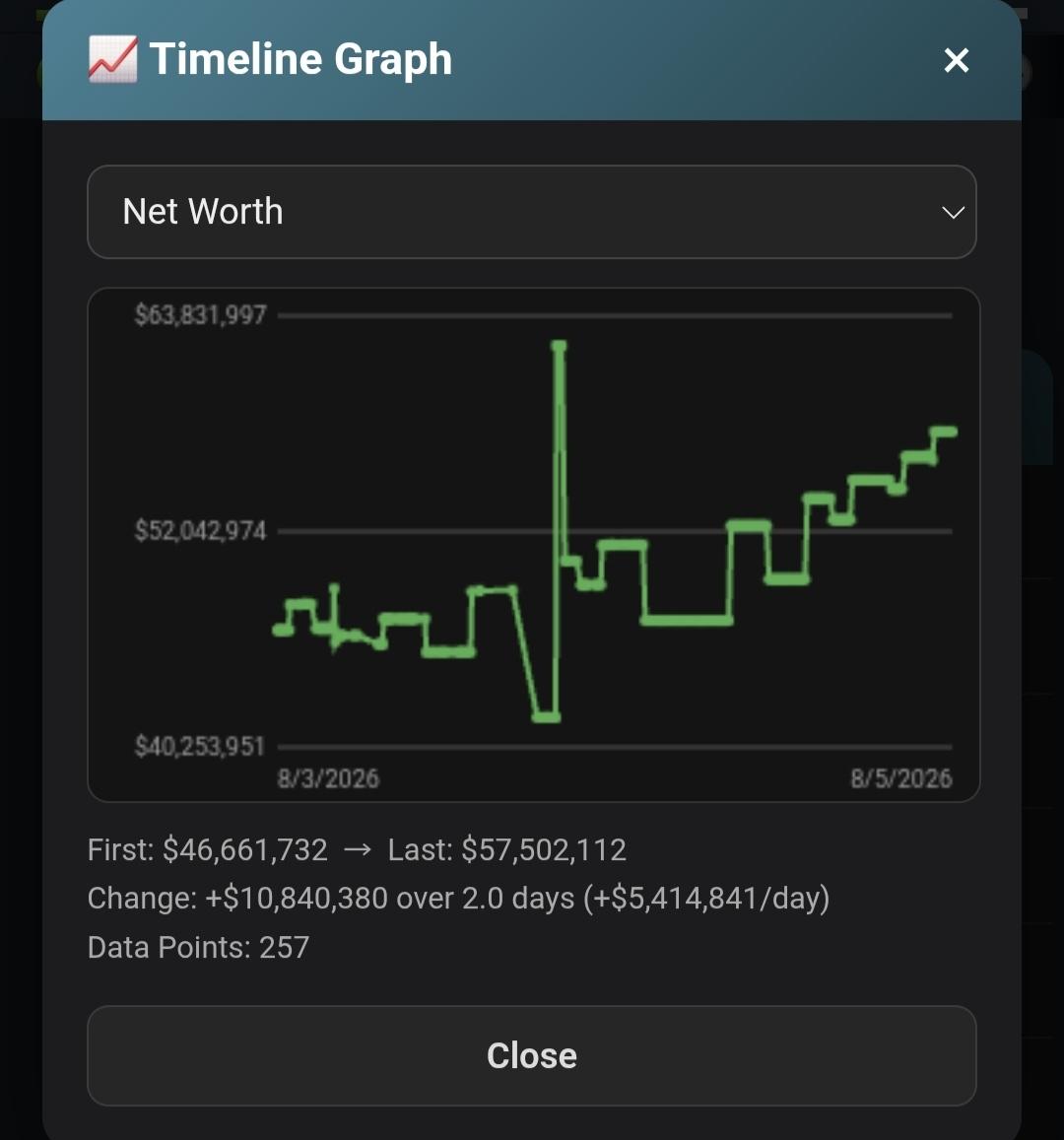
**Timeline** — Every refresh logs a snapshot. Shows trends (stat gain/day, net worth/week, respect/hour) and a built-in graph for any tracked metric.


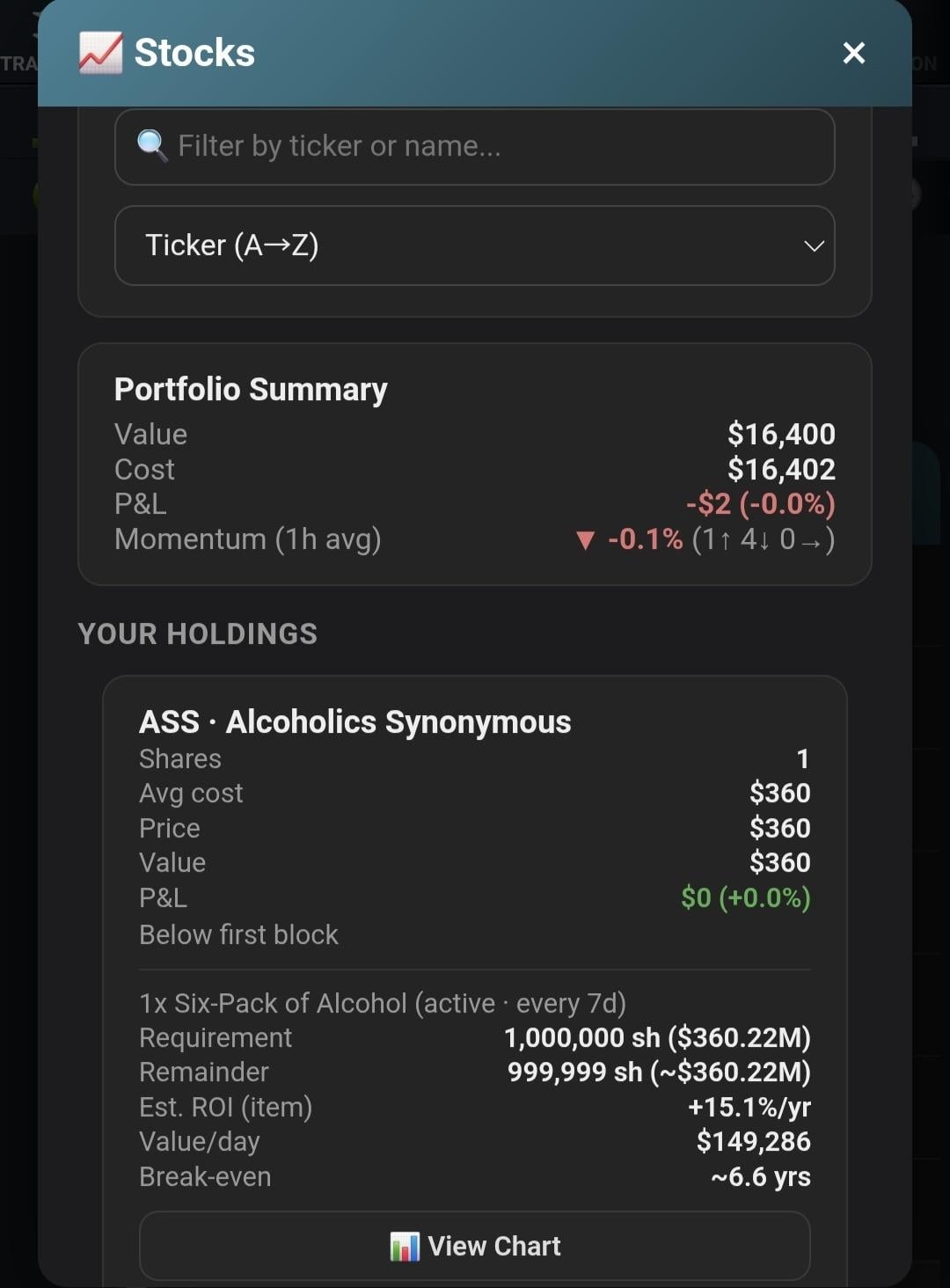
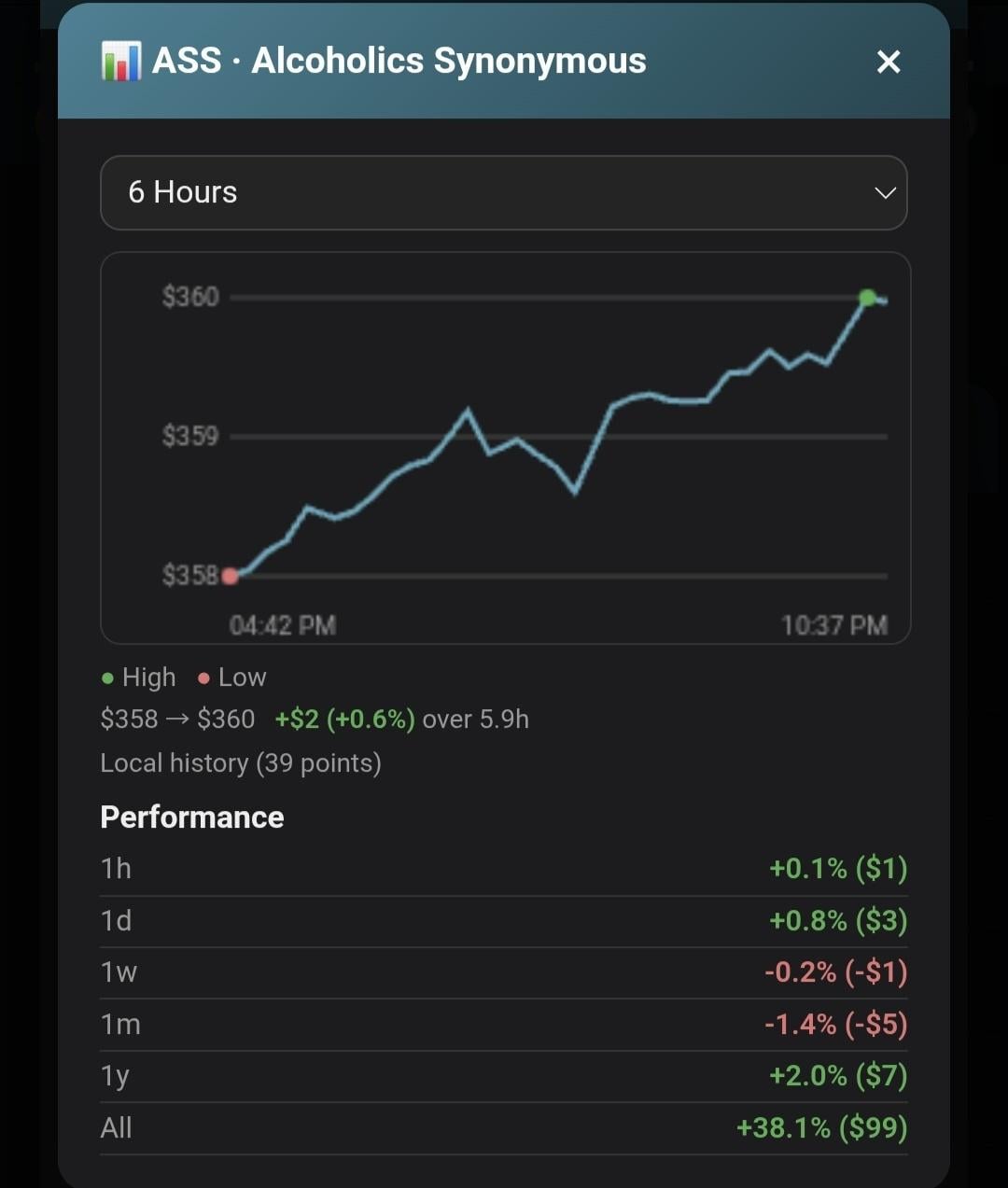
**Stocks panel** — Per-stock cards: shares, value, live P&L, 1-hour momentum, block progress, and estimated ROI/break-even for active-benefit stocks. Sortable and filterable, with its own normalized/sheet export.


**Advisor** — A local rules engine that reads your current data + history and surfaces Warnings, Tips, and Info: capped bars, idle education, merit allocation, job progression, Private Island/suitcase timing, and stock strategy (WSU block progress with real numbers, near-complete blocks on any stock, and a data-quality flag if a stock's cost basis is approximate). Rules get quieter as you progress — no repeating advice you've already outgrown.


## Menu

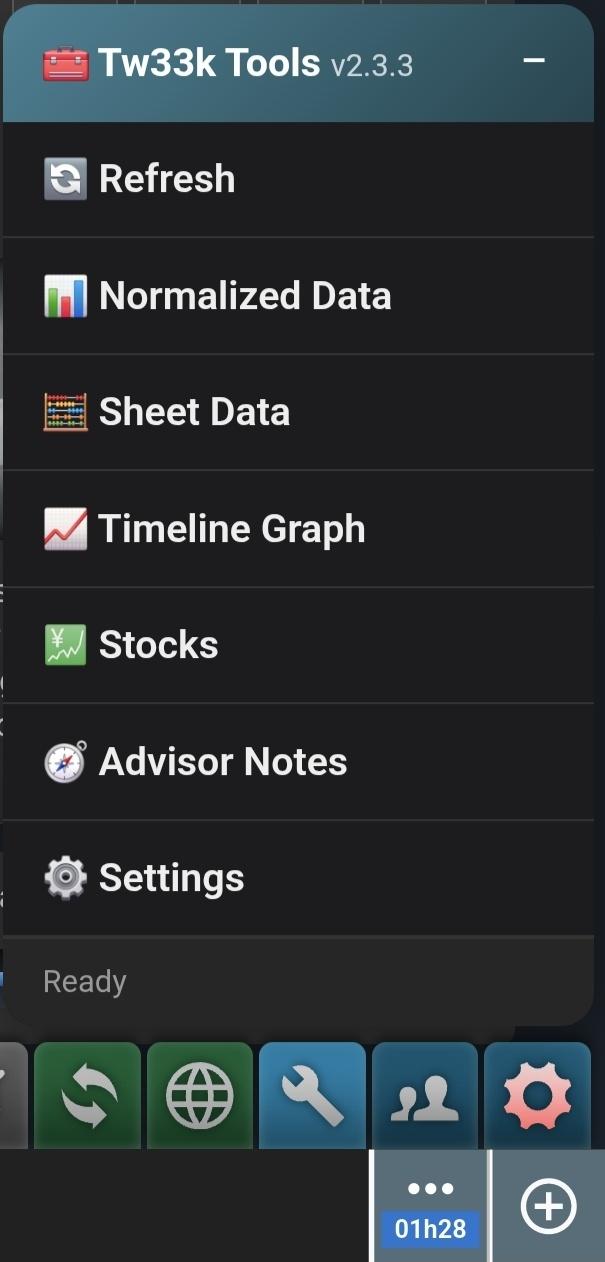
Refresh · Normalized Data · Sheet Data · Timeline Graph · Stocks · Advisor Notes · Settings


## Settings

API key, refresh interval, Suitcase Owned (manual, since inventory isn't API-visible), **Display** (Edge tab or Floating icon — see below), Developer Mode, Clear Cache/History.


## Display: Edge tab vs Floating icon

By default the launcher lives as a small tab on the screen edge, same as the rest of the suite. Switching Display to Floating icon instead puts it on the shared Tw33k Tools floating launcher alongside Mugging Advisor, Market Watch, and Dopewars — one draggable icon that fans out into whichever of those scripts are also set to floating. Switches instantly, no page reload.


## Developer Mode

System Health, API Discovery (tests every endpoint your key can reach), and a Diagnostic Report for troubleshooting.


## Requirements & privacy

Needs a Torn API key with at least **Limited** access. Everything runs locally — your key and data never leave your device.


## What it doesn't do

No in-game actions, no automation, no decisions made for you. It collects, organizes, and advises — you decide.


---


MIT LICENSE

Tw33k Tools is released under the MIT License.

Free for personal and commercial use.


---


CREDITS

Designed and developed by Tw33k.

ISO: Adult Novelties Position w/ Edvd · · 0 likes

Looking for employment with any Adult Novelties store with no Edvd tax. Trains are not a concern, but welcome. 


My stats are low, but I'm a daily player with little to no addiction, in an addiction mitigation faction, willing to keep it under control and pump up my Employee Effectiveness perk.

Manual Labor: 467
Intelligence: 271
Endurance: 338
Total: 1,076
EE- 1 (and climbing, I'm on daily)

Recent archived posts

[Script + PDA] Tw33k - Market & Travel Calc ·

Bump

[Script + PDA] Tw33k - Dopewars PDA Edition ·

Bump

[Script + PDA] Tw33k - Character Coach & Exporter ·

Bump

[Script + PDA] Tw33k - Mugging Advisor ·

Bump, added support for mugging people in Russian Roulette

[Script] KAL Loadout Revealer - Free ·

Any clue if it works with Torn PDA?

[Script + PDA] Tw33k - Market & Travel Calc ·

Bump

[Script + PDA] Tw33k - Dopewars PDA Edition ·

Bump

[Script + PDA] Tw33k - Character Coach & Exporter ·

Bump

[Script + PDA] Tw33k - Mugging Advisor ·

Bump

[Script] Diggy deposits - Quicker deposit for faction armory AND Vault · · 1 like

Any chance you'd add the option of dumping it into a preselected stock?

[Script + PDA] Tw33k - Mugging Advisor ·

Yeah that's something I could add to a couple of the apps I have posted here. I'm on mobile only and the interface isn't that friendly for posting.

[Script + PDA] Tw33k - Mugging Advisor ·

Bump

[Script + PDA] Tw33k - Market & Travel Calc ·

Bump

[Script + PDA] Tw33k - Dopewars PDA Edition ·

TornWars Update! 

Game now includes a casino, stocks, properties, all based on Torn. Weapons and armor have been updated to reflect Torn items. Flights now cost based on distance.

[Script + PDA] Tw33k - Character Coach & Exporter ·

Bump

ISO: Adult Novelties Position w/ Edvd ·

Bump

Looking for Work? Post your Stats here ·

Looking for AN 5* or Higher


Manual Labor: 467

Intelligence: 271

Endurance: 338

Total: 1,076

EE- 1 and climbing (I'm on daily)


No tax and don't care about trains.

ISO: Adult Novelties Position w/ Edvd ·

Looking for employment with any Adult Novelties store with no Edvd tax. Trains are not a concern, but welcome. 


My stats are low, but I'm a daily player with little to no addiction, in an addiction mitigation faction, willing to keep it under control and pump up my Employee Effectiveness perk.

Manual Labor: 467
Intelligence: 271
Endurance: 338
Total: 1,076
EE- 1 (and climbing, I'm on daily)

(B) drugs, cans and candies. MUG FREE 101% safe trade. · · 1 like

Sold Pangolin Scales since I don't have Sports Admin yet.  Paid full price for em, $205k. Thanks!

[Script + PDA] Tw33k - Mugging Advisor ·

- New Health bar and Just Arrived entries under Core features, explained with the same detail level as Sold Out

- New Own faction is never shown section

- New Bounty icon line (was actually already shipped pre-0.9.0 but had never made it into the walkthrough — added now since you just asked about it)