[Userscript] Torn Profile Link Formatter - Instant, Customizable Player Links!
Tired of manually typing out player names, IDs, and links when coordinating with your faction? I've created a script to take all the hassle out of sharing player information. Introducing the Torn Profile Link Formatter!
What does it do?
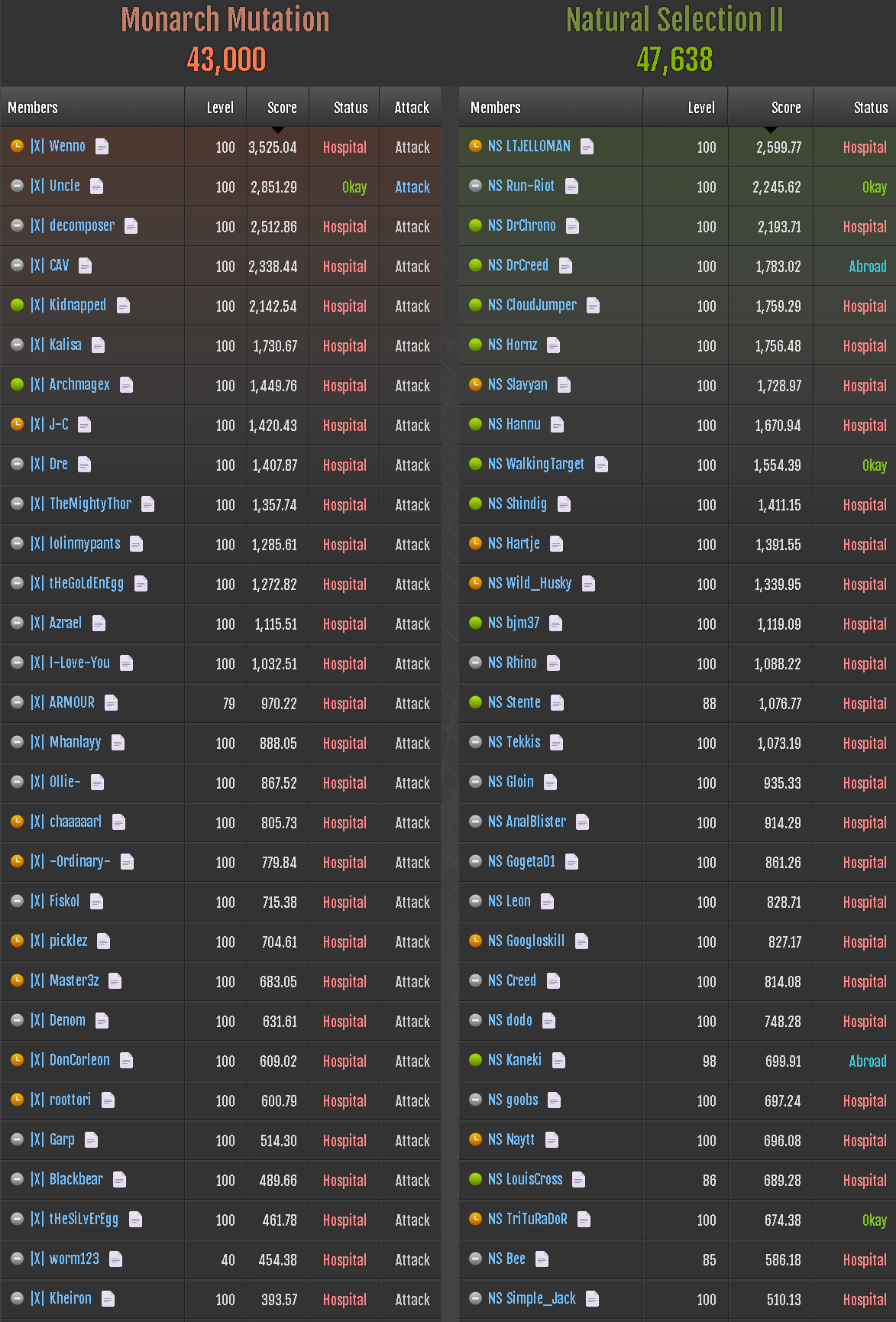
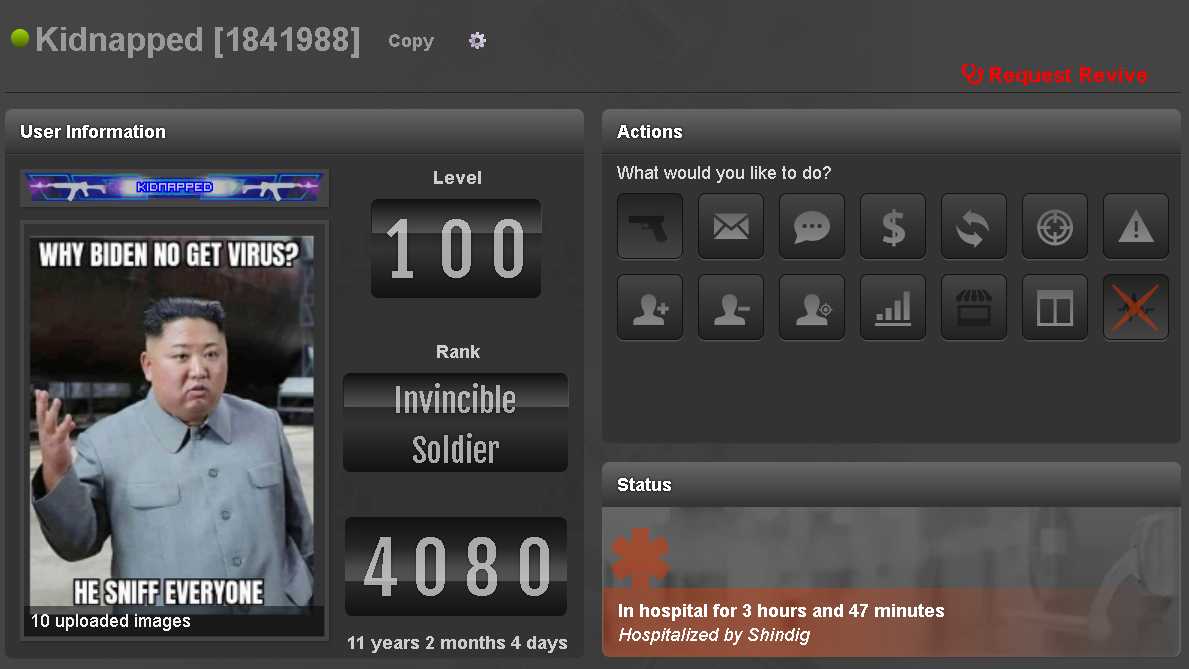
This script adds a small copy icon next to player names on profiles, faction lists, and ranked war pages. Clicking it instantly copies a pre-formatted, customizable line of HTML to your clipboard, ready to paste into chat, forums, or notes. It's designed to make coordination faster, easier, and more accurate.
Core Features
- One-Click Copy: Adds a 📄 icon next to names on faction lists and a "Copy" button on main profile pages.
- Ranked War Faction Copy: Adds a 📋 icon to ranked war headers to copy the entire member list with full stats in a single click.
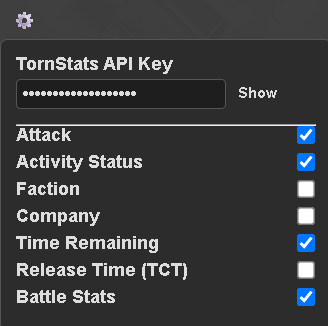
- Customizable Format: A settings menu (⚙️ icon) on profile pages lets you choose exactly what information you want to include.
- Key Information at a Glance:
- Player Status: Shows if a player is Online 🟢, Idle 🟡, or Offline ⚫.
- Direct Links: Instantly grab links to Attack, visit their Faction, or their Company.
- Hospital Timers:
- On Profile Pages, it shows the "In hospital for..." text directly from the page.
- On Faction/War Pages, it uses live data to show a precise remaining time and TCT release time for better coordination.
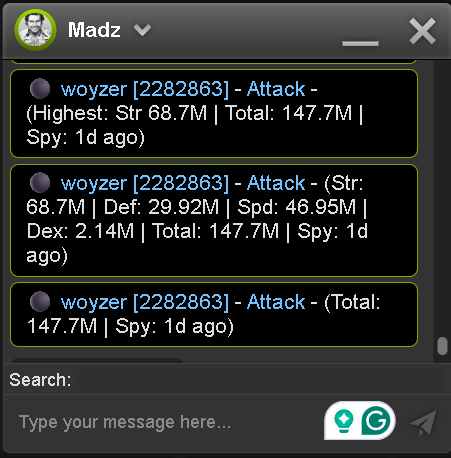
- TornStats Integration: If you provide your TornStats API key, you can include a player's battle stats (with customizable formats) and see how old the spy is. (Your API key is stored locally and only used for this purpose).
Example Output
Here's what a fully-loaded copied link can look like:
🟢 GNSC4 [268863] - Attack - (Str: 1.25B | Def: 1.10B | Spd: 1.50B | Dex: 1.45B | Total: 5.30B | Spy: 2 days ago)And for a faction copy:
PlayerOne [12345] - Attack - (Str: 1.00B | Def: 2.00B | Spd: 1.50B | Dex: 1.75B | Total: 6.25B)


PlayerTwo [67890] - Attack - (Str: 3.00B | Def: 2.50B | Spd: 2.75B | Dex: 2.25B | Total: 10.50B)
How to Install
- You'll need a userscript manager extension for your browser. Tampermonkey is the most popular choice.
- Once you have the extension, click the installation link below:
INSTALL SCRIPT - Tampermonkey will open a new tab. Just click the "Install" button.
The script will automatically update when new versions are released.
Changelog
Version 1.6.5 - Added HTML separators to faction copy for improved readability.
Version 1.6.4 - Faction copy now includes full stat breakdown. Corrected emoji rendering.
Version 1.6.3 - Reverted to a more compatible plain-text copy method to ensure HTML formats correctly on paste.
Version 1.6.1 - Massively optimized faction copy feature. It now uses a single API call to TornStats for the entire member list, making it significantly faster and more reliable.
Version 1.5.1 - Fixed copy icon on faction pages.
I hope you find this script as useful as I do! If you have any feedback, suggestions, or run into any bugs, please post them here.
GNSC4 [268863]
Mentions: GNSC4 [268863] · PlayerOne [12345] · PlayerTwo [67890]