🎯 Level Progress Shower
This script enhances the sidebar Level display by showing your exact progress toward the next level (e.g. 69.42) based on real-time leaderboard data from Torn’s Hall of Fame (HoF).
🧩 Features
- 📊 Displays your level progress (e.g.
69.42) based on HoF rankings. - 🎯 Works entirely from the sidebar with zero UI clutter.
- ⚡ Auto-updates regularly in the background using cached data.
- 🔁 Automatically refreshes when your level changes.
- 🧠 Smart use of Torn’s API to avoid overloading or wasting calls.
🔧 Installation
- Install Tampermonkey or a compatible userscript manager.
- Get the script from GreasyFork:
👉 Click here to install the script
🔑 API Key Setup
To function, the script needs your Torn public API key.
- Click the Tampermonkey browser extension icon.
- Open Dashboard > Torn - Level Progress Shower.
- Click “Configure API Key” from the menu.
- Enter your API key in the popup and click the "Validate and Save" button.
Don't know how to get a public API key? Click here.
⏳ What to Expect After Setup
After installing the script and entering your API key, the script begins processing data in the background.
- ✅ You must stay on any www.torn.com page for up to 5 minutes without refreshing.
- 🔍 During this time, the script performs its initial data fetch, including rank lookup and target player choice.
- ⚠️ If you refresh, the process may reset and take longer.
Once complete, your level will automatically update in the sidebar to show a decimal (e.g. 69.42).
No manual action is needed once the process begins — just let the page sit!
📸 Before & After
🔻 Before:
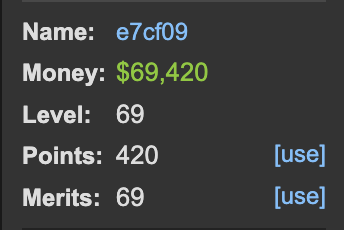
🔺 After:
🧠 How It Works
Here’s what the script does under the hood:
- Fetches your current level and Hall of Fame (HoF) rank using the API.
- Calculates your position between two key points:
- The rank of the inactive player at your level with the highest level exp;
- The rank of the inactive player below your level with the highest level exp.
- Estimates your progress by interpolating between those ranks.
Example: If you're halfway between the two, it shows42.50instead of just42. - Caches the results for up to 24 hours and updates automatically if:
- Your level changes
- Cached inactive player data is no longer valid
- You clear cache manually from the dashboard
- A minute has passed
This allows the script to display a fluid, progress-based level number that reflects how close you are to reaching the next level — even if Torn doesn’t display this natively!
Note on Level Holders:
Some players choose not to level up even after reaching the experience threshold — these are known as level holders. Because their level does not reflect their true experience, they can slightly distort the Hall of Fame rankings.
As a result, your displayed progress may be slightly lower than your actual progress. However, the effect is minimal because very few players intentionally hold their level.
🧼 Optional Tools
From the dashboard, you can:
- 🧪 Validate & Save a new API key.
- ♻️ Clear Cache to force a fresh data fetch.
- ❌ Cancel the setup popup anytime.
💬 Feedback
Feel free to reply with bugs, ideas, or enhancements.
Hope this helps you grind smarter!
⚠️ Known Issues
A significant number of players are (unintentionally?) holding their level, which will cause your displayed progress to be significantly lower than the actual value. Full discussion here: View reply
📡 API Usage & Compliance
This script is designed to be safe and compliant with Torn’s scripting rules.
- During a major data refresh (e.g. on first run, level up, or forced cache clear), the script may use up to 60 API calls per minute.
- During normal use with valid cached data, it will typically make 3 API calls per minute or less.
All requests are made exclusively to Torn's official API and are throttled to comply with rate limits and the following Torn rule:
SCRIPTING ABUSE: Game ban
The use of scripts, extensions, applications or any other kind of software is allowed only if it uses data from our API or a page you have loaded manually and are currently viewing. They cannot make additional non-API requests to Torn, scrape pages that you're not currently viewing, or attempt to bypass the captcha.
✅ This script makes only API calls and never scrapes Torn pages or simulates user interactions.
✅ No background crawling, no DOM scraping, and no captcha interactions.
✅ You are safe to use it without violating Torn's rules.
Mentions: [Script] Level Progress Shower