Skip to content
TORNLIFE More

Can't toggle backdrop off

Started by pestilence101 [445588] on in Bugs & Issues.

12 replies · 95 views · thread synced · 5 days ago · View on torn.com
About this thread

Posts archived: 13 / 13 posts (100%) · the total is Torn's reply count + the opening post at the last fetch

Counted by TornLife from the archived posts.

Archived posts
13
Discussion span
→
People posting
11
Likes on archived posts
5
Posts by staff, officers and moderators
2
Authority score
57 / 100
Historical score
42 / 100
Story score
43 / 100
Engagement score
55 / 100
pestilence101 [445588]

If I recall correctly I used to be able to turn it off by clicking on it again, but that doesn't seem to be the case.


Relatedly is the backdrop meant to show behind every page now? This is why I want to turn it off - I was fine with it on my profile page but having it on every page just makes me think I'm in hospital when I'm not (I'm in dark mode and the particular backdrop I have is very grey)
IndyCision [2597200]

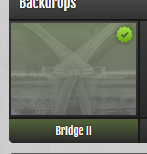
Just go to the background in the points building.

Click the one which is ticked so the tick gets removed:


Edit: Just re-read, and you're saying you cannot click on it. Odd, is working for me :(
Does it let you do it in an in-private browsing window with extensions etc disabled?

CloudJumper [1636201]Staff

I just tried this on your account and it seems to be working fine, can you replicate the issue in Incognito window?


We have pushed an update that improves the dark mode version of the backdrop (reported here) which is why you are seeing grey-er versions in dark mode. They are meant to be present on all pages, yes. You will only see a different backdrop if you visit another player's profile and they have a different backdrop setup.

Mentions: Backdrops become obsolete in Darkmode

pestilence101 [445588]

I just tried in private mode (vanilla Safari on iOS - eta I'm also on mobile) and still can't toggle it off. It flashes as if it registers the click but remains toggled on.

CloudJumper [1636201]Staff

Looks like this is only happening on iOS, works fine on Android and desktop. I will ask Roman to check.


Thanks!

Nacholava [2850353]

This is happening for me as well. Can’t toggle off hair or backdrops. I didn’t have a backdrop on previously and it was stuck on when I woke up this morning. iOS device. 

Kwack [2190604]

As above, cannot toggle backgrounds at all on the points page. Token shop works as expected. iOS 16.1, iPhone 11