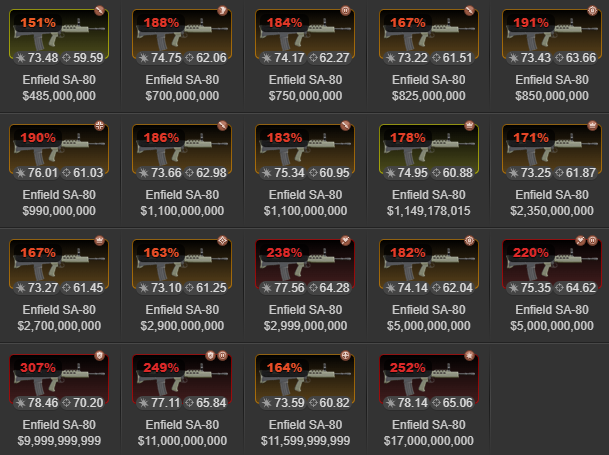
This script gives players a quick visual guide to how good a weapon or armor roll is by colour-coding the quality directly onto the item image with a heat map based font colouring.
If you notice any differences between the script’s quality % and the actual item stats, please send me a message in-game so I can fix it.
I’ve only tested this on PC, so sorry if it doesn’t work properly on mobile. If there’s enough interest in the script and mobile support, I’ll do my best to add it.
Displays on the following pages:
-
Item Market
-
Bazaar
-
Items
-
City Dump
-
Faction Armory
-
Auction House
I’d really appreciate any feedback or suggestions. I’m still pretty new to this and, yeah, I used AI to help — but that doesn’t mean it was easy to put together. If you like the script or find it useful, feel free to drop a like on the page 👍
| Quality Range | Colour Flow | Meaning |
|---|---|---|
| 0 – 77% | Gray → Blue | Low roll |
| 77 – 88% | Blue → Green | Decent roll |
| 88 – 99% | Green → Yellow | High roll |
| 99 – 111% | Yellow → Orange | Very high roll |
| 111 – 200+% |
Orange → Red | Exceptional roll |