Skip to content
TORNLIFE More

[Script] Search Torn Forums by User

Started by Kalends [2032147] on in Tools & Userscripts.

15 replies · 154 views · thread synced · 5 days ago · View on torn.com
About this thread

Posts archived: 16 / 16 posts (100%) · the total is Torn's reply count + the opening post at the last fetch

Counted by TornLife from the archived posts.

Archived posts
16
Discussion span
→
People posting
6
Likes on archived posts
16
Authority score
51 / 100
Historical score
31 / 100
Story score
39 / 100
Engagement score
62 / 100
Kalends [2032147]

Script: https://greasyfork.org/en/scripts/582122-search-torn-forums-by-user 

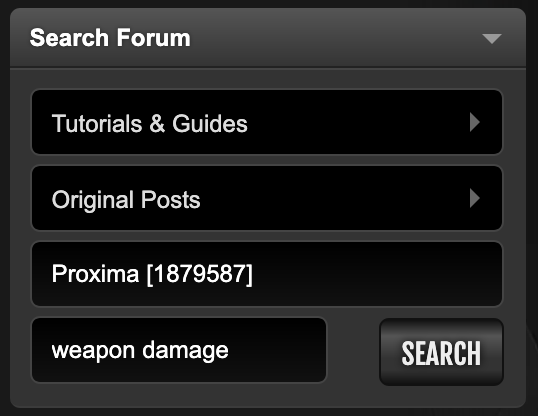
This script adds a user box to the forum search area. 

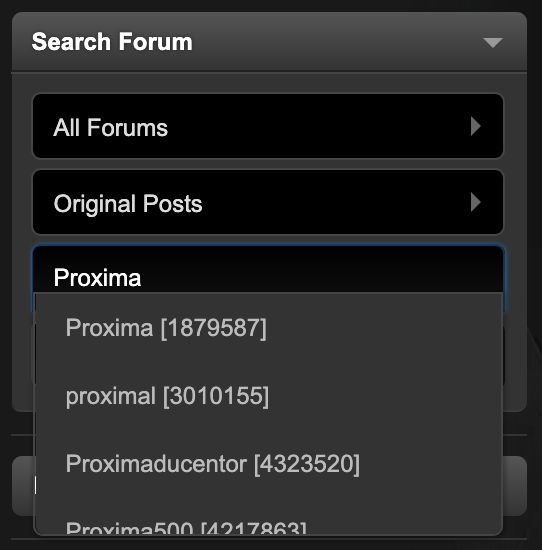
It has a dropdown autocomplete menu so you can just type their name and click.
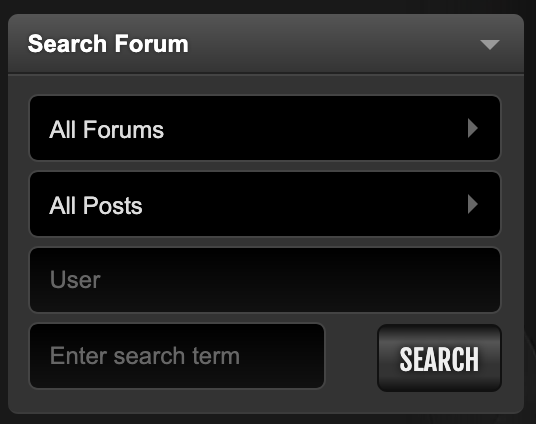

You can also Cmd/Ctrl+Click the search button or Cmd/Ctrl+Enter to open the results in a new tab so you can easily make tweaks to the keywords. 
The above example query creates this link https://www.torn.com/forums.php#/p=search&q=by:1879587+weapon+damage&f=61&y=1 

This helped me find their thread on the damage formula as they've made 980768908768 posts since then so I couldn't easily go from their profile directly. 

You may also find the advanced search modifiers interesting/useful:

Supported modifiers (can be combined for more precise results):

  • Plus (+text): Must contain text
  • Minus (-text): Must exclude text
  • by: player_name OR player_ID: Search all posts by a specific player
  • Wildcard (text*): Must contain words starting with text (wildcard only works on the right side)
  • Double quotes ("text"): Must contain the exact word or phrase
  • Pipe (text1 | text2): Must contain either text1 or text2, or both
  • Parenthesis (+"text1" +(text2 | text3)): Must have text1 AND text2 OR text3

Source: https://www.torn.com/forums.php#/p=threads&f=1&t=16500873&b=0&a=0 


Mentions: Forum Search Update

Kalends [2032147]

NGL i didnt know you could type the "by:{id/name}" thing in the keyword search box, before i made this i was manually adding it to the links. there are also probably others who dont know you can even have links that include both a user and keywords, so this helps them discover that possibility. this is also a cleaner ui + you dont need to know their exact name/id as it gives you a user-search dropdown. 

It also makes it way easier to tweak even regular forum searches, this makes (ctrl/cmd)+(click/enter) open the link in a new tab rather than the same tab, so you dont have to navigate back to the forum home page and retype everything when you want to change a single word, which is arguably the best part of this script.