Citizens,
Today we’re releasing the Fly-out Sidebar for touchscreen devices. Designed to make navigation faster, clearer, and more accessible to use.
Smoother mobile navigation
The Fly-out Sidebar is now available, and players can enable it via Profile icon > Settings > General Settings > Touchscreen Navigation, where you can toggle on the 'Fly-out sidebar'.
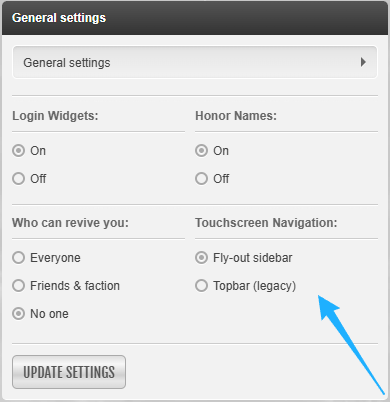
This provides a more intuitive navigation experience for touchscreen devices, while keeping access to key areas of Torn quick and familiar. If you’d prefer to use the legacy Topbar, you can do so by toggling the setting back off in the same place.
We’ve also added a quick and easy way to see how many unread notifications you have, with a number indicator now shown at the top-right of the hamburger icon.
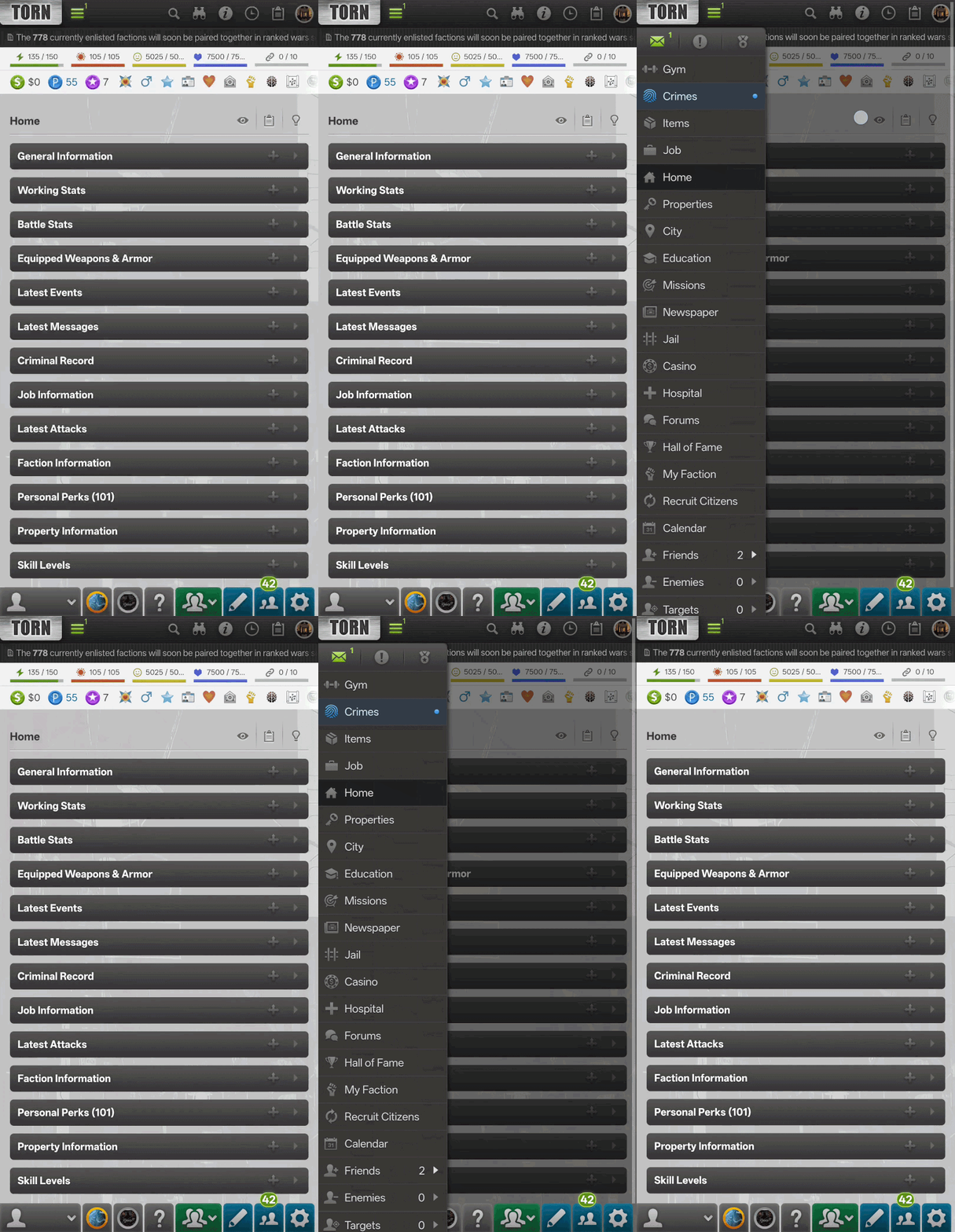
Access to key areas
The Messages, Events, and Awards options now persist at the top of the Fly-out Sidebar, ensuring that they are still easy to access when you need them most.
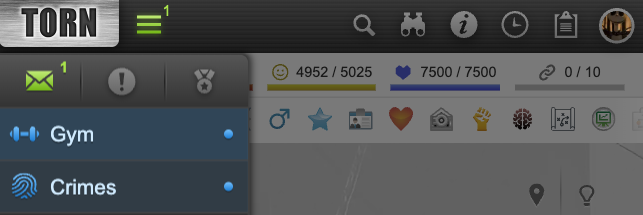
In support of the Fly-out Sidebar we also recently updated the way that notifications are indicated in both the new Fly-out Sidebar and the existing desktop sidebar. Green now indicates unread items such as Messages, Events, or Awards. Blue now draws attention to things such as the Gym when your Energy is full, Crimes when your Nerve is full, and similar prompts.
To make sure these indicators remain accessible to everyone, they now also include a pip/dot, so players do not need to rely on color differences alone.
Tutorial updates
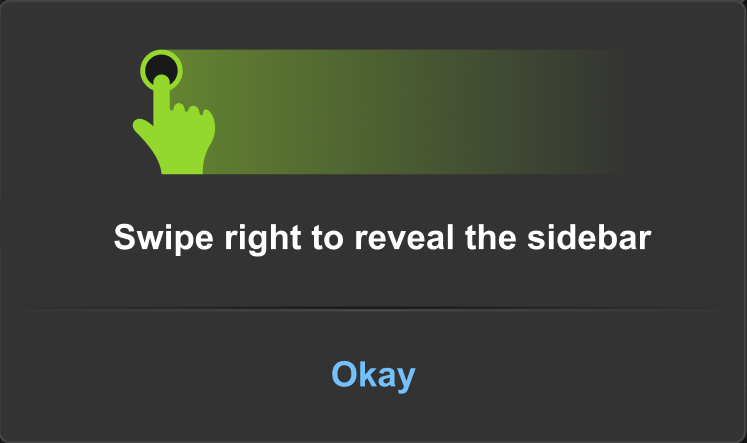
When the Fly-out Sidebar is enabled, players will initially see a short tutorial explaining how to interact with it.
Thank you as always for the feedback and suggestions that help to shape Torn.