Citizens,
Today we're introducing Faction Headlines, a new way to share short, timely updates with your members. As part of this change, Urgent and Important announcements are being retired, with Faction Headlines taking their place. Main Page Announcement is not affected, and continues to work exactly as it does today.
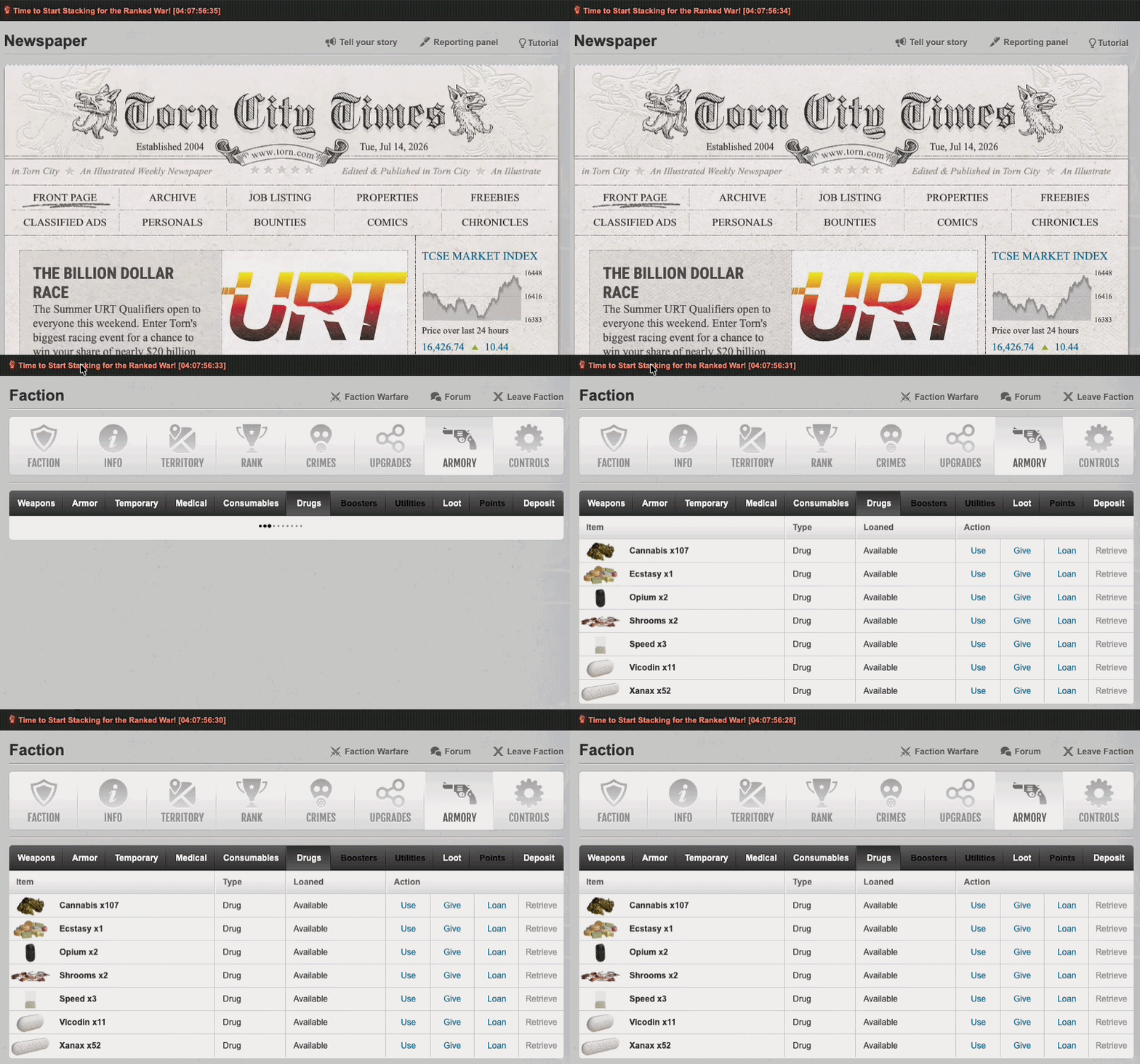
Announcements are best suited to a single, persistent message on your faction's main page. Headlines are designed for shorter-lived updates, which appear in the News Ticker. Headlines can include a hyperlink, a countdown timer, and clear themselves automatically once they expire, so you're not relying on someone remembering to take them down.
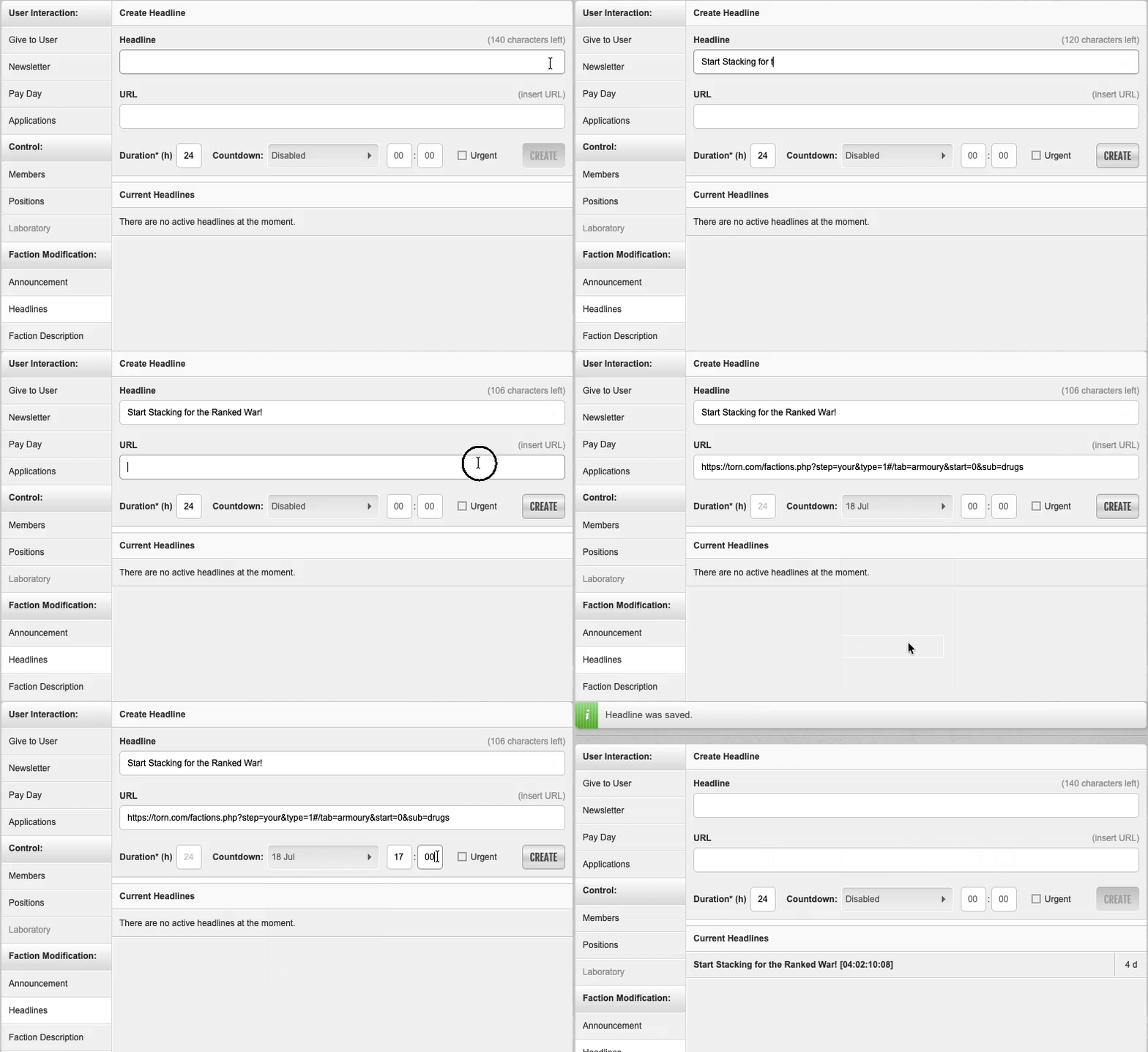
Headline URLs
Headlines can be linked directly to a page, whether within Torn or on an external site.
Simply paste in the full URL and it'll be validated automatically. Clicking an external headline will still show the usual redirect confirmation, so members always know when they're leaving Torn.
Automated durations and countdown timers
Headlines can be given an automatic expiry, rather than relying on manual removal.
Note: Setting 'Duration' to '0' will create a Headline with no expiration date/time.
Hovering over a headline will show a tooltip confirming exactly when it's due to expire, or confirm if it's set to never expire.

Headline management
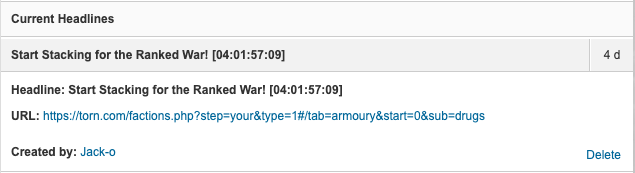
The Current Headlines list makes it easy to see everything that's currently live for your faction, as well as delete Headlines as appropriate. Headlines deleted in error can be quickly recovered via the 'Restore' button until you refresh or move away from the page, at which point they can no longer be restored.
Separate tabs for Announcements and Headlines
Faction Headlines has its own tab under Faction Modification, sitting alongside your main page Announcement tab.
Permission management remains unchanged with the introduction of Faction Headlines. The existing Announcement Changes permission continues to define which faction members can manage Headlines.
If your faction had any Urgent or Important announcements active before this release, these have automatically been migrated into Headlines for you. Urgent announcements carry over as Urgent Headlines (still shown in red), and Important announcements carry over as standard Headlines. You'll find them all under Current Headlines, no action is needed on your part.

Thanks.