Hey guys,
I’ve been working on a disposal script for my own daily use and decided to share it, in case it’s useful to someone else as well.
TL;DR
This userscript adds visual rankings to disposal methods, showing:
- how good a method is globally (colors)
- how it ranks within the current job (borders)
It supports success-rate and profit-based modes, works on desktop (not tested) and mobile.
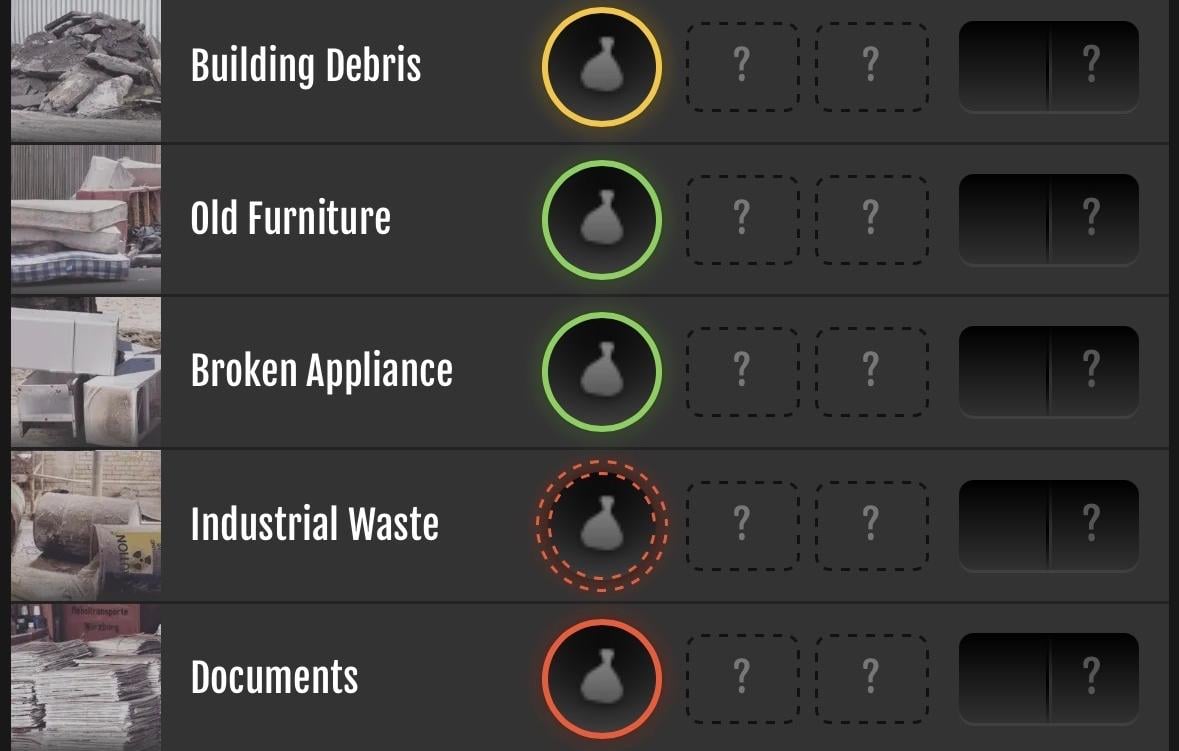
Like many players, I’m doing disposal every day to work toward the 10,000 illicit services medal.
That means this crime is part of my daily routine.
For a long time I’ve been using the scripts shared by the community, and I’m genuinely grateful for them.
Lately though, I felt the need for something a bit more useful and intuitive for my own playstyle.
I wanted a way to quickly identify the “best” methods for each job, depending on what I care about at that moment.
So I built a userscript that adds statistical ranking and profit analysis to disposal methods, while staying as close as possible to Torn’s native UI.
In line with other scripts for this crime, this script only adds information and visual cues to help you choose better.
It does not automate anything.
What the script does
The script analyzes all available disposal methods and overlays visual indicators directly on the buttons:
- Color shows how strong a method is globally, compared to all other methods
- Border style shows how the method ranks within the current job only
This keeps the UI clean while still providing meaningful guidance.
Display modes
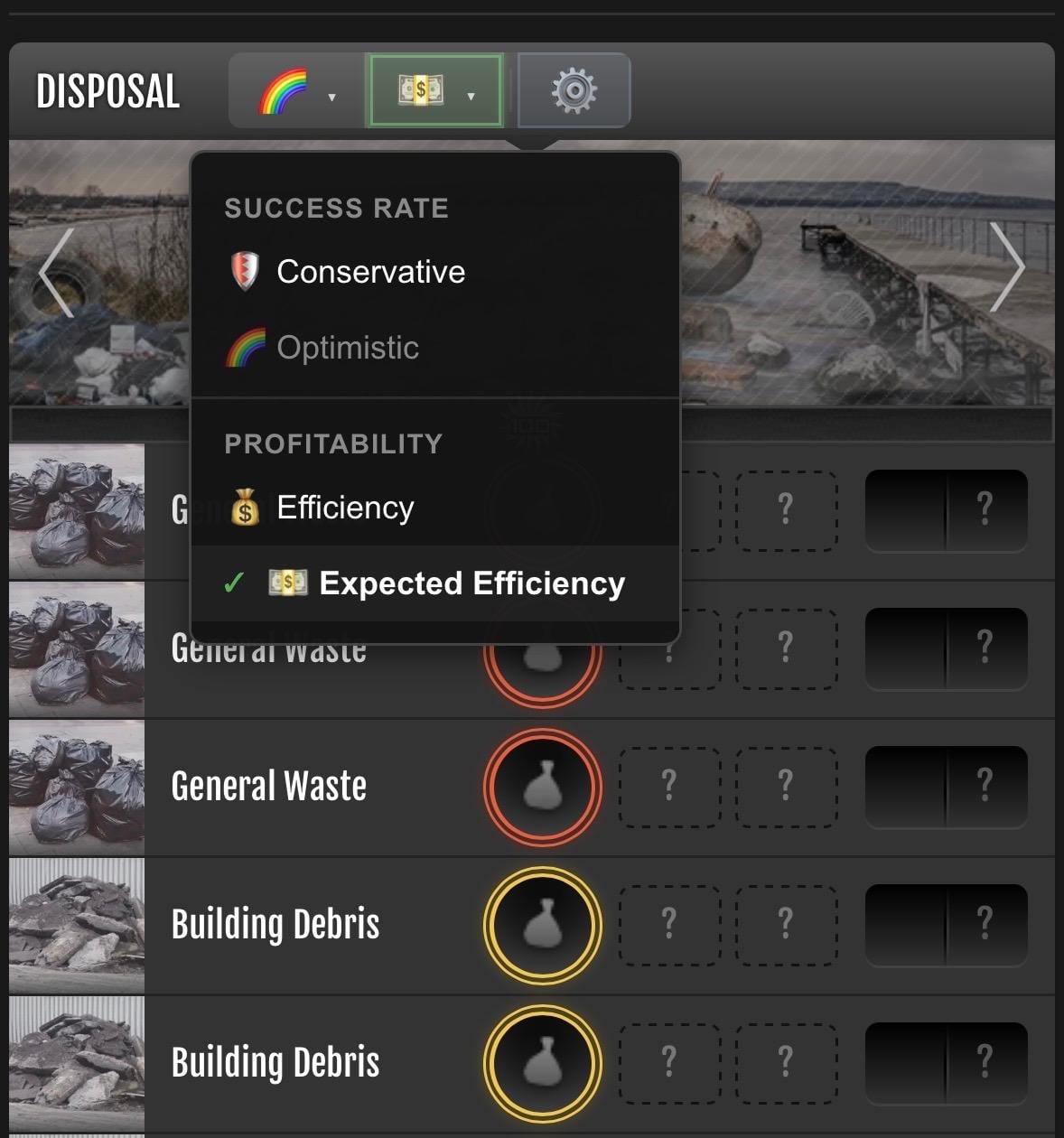
You can switch between four different evaluation modes, depending on what you care about:
🛡️ Conservative
Uses the Wilson lower bound of the success rate.
This penalizes small sample sizes and favors statistically reliable methods.
Good if you want the safest choice.
🌈 Optimistic
Uses the raw success rate without correction.
Useful if you trust the data volume or just want the best-case scenario.
💰 Efficiency (requires API key)
Calculates profit per nerve, assuming 100% success.
Ignores success rate and focuses purely on efficiency.
💵 Expected Efficiency (requires API key)
Calculates expected profit per nerve, factoring in both success rate and cost.
This is the most realistic “long-term average” view.
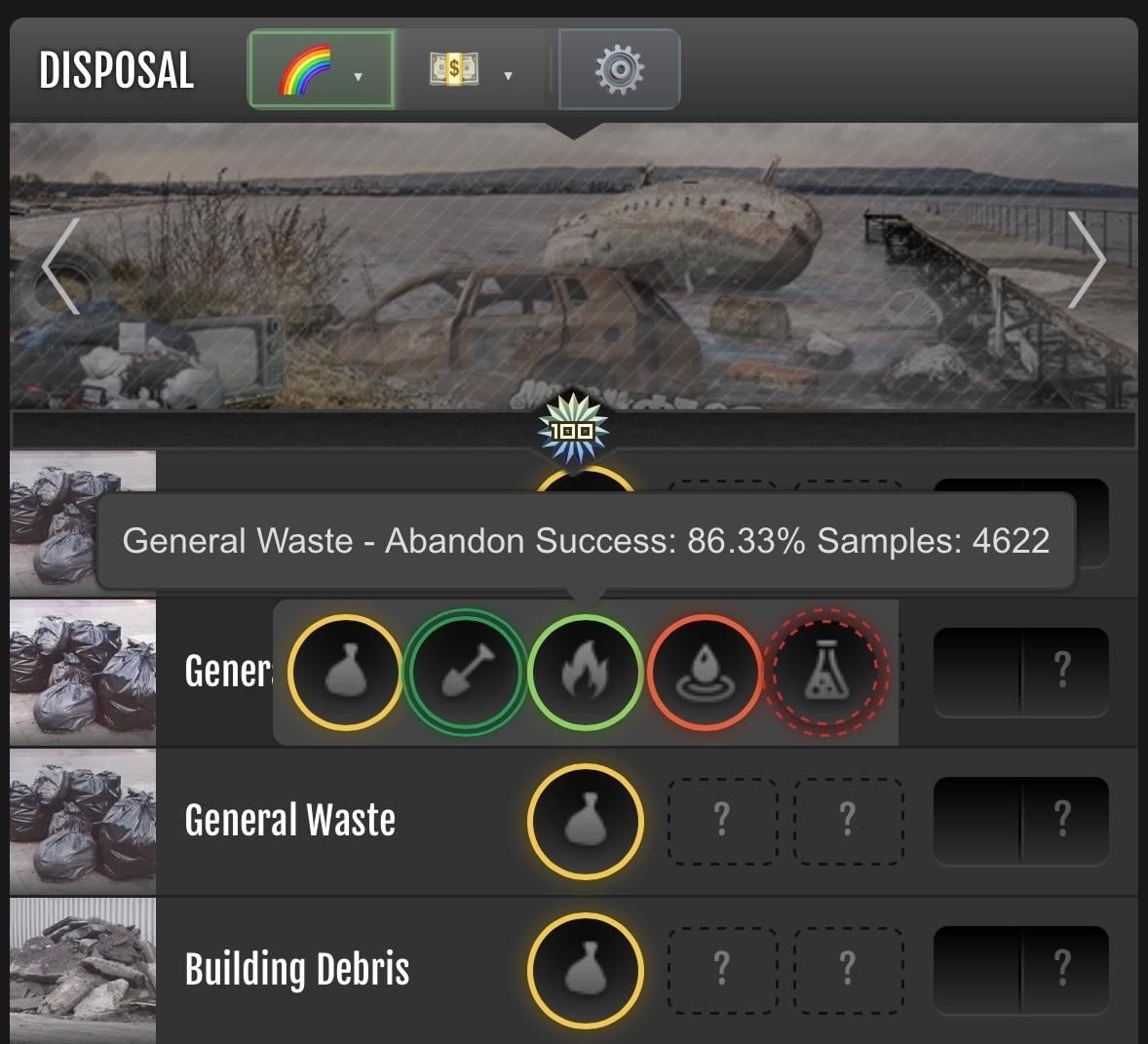
Quick mode selection (2-slot system)
On mobile (and especially), switching modes frequently can be annoying.
To solve this, the script includes a 2-slot system for quick access to modes.
- You can assign any mode to each of the two slots
- Slots act as quick toggles, not fixed modes
- Long-press a slot button to change which mode is assigned to it
- Slots are fully customizable and saved locally
This allows you to quickly switch, for example:
- between Conservative and Expected Efficiency
- or between Optimistic and Efficiency
…without opening menus or cycling through all modes every time.
On desktop, all modes are shown directly as buttons.
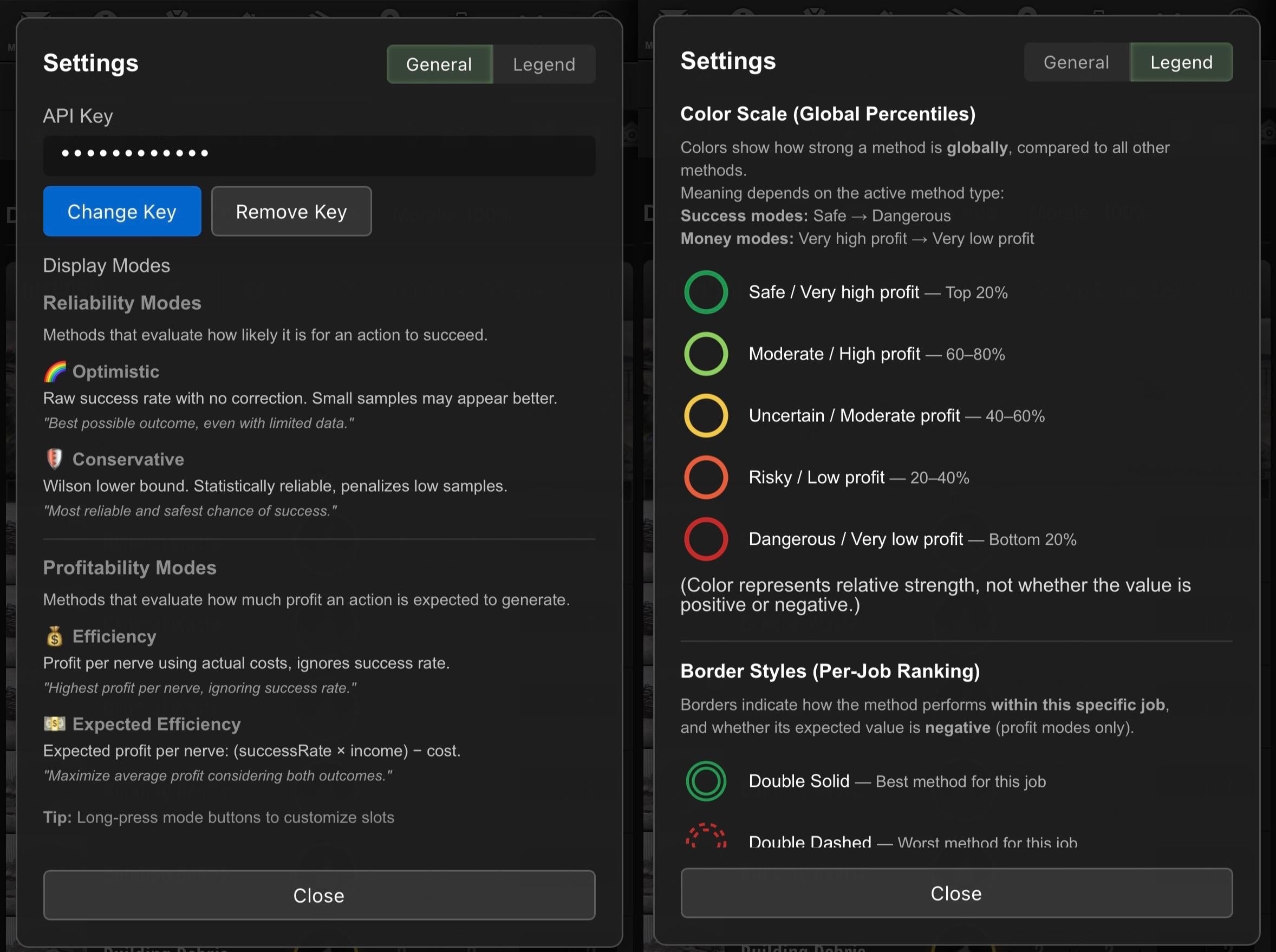
Color scale (global ranking)
Colors are based on global percentiles, not absolute values.
- 🟢 Top 20% - Safe / Very high profit
- 🟡 60-80% - Moderate / High profit
- 🟠 40-60% - Uncertain / Moderate profit
- 🔴 20-40% - Risky / Low profit
- 🔴 Bottom 20% - Dangerous / Very low profit
Color represents relative strength, not whether a value is positive or negative.
Border styles (job-local ranking)
Borders are evaluated within the same job only:
- Double solid border → best method for that job
- Double dashed border → worst method for that job
- Single dashed border → negative expected value (profit modes only)
- Single solid border → positive, but not best or worst
This makes it easy to immediately see:
- the best option for this job
- the worst one
- whether a method is profitable at all
UI & usability
Fully compatible with Torn’s SPA navigation
- Mobile-friendly (tested on TornPDA)
- No UI duplication, no flicker, no mutation loops
There’s also a small settings dialog with:
- API key management
- a visual legend explaining colors and borders
Privacy & safety
- No automation
- No requests sent unless you enable profit modes
- API key is used only to fetch item prices
- All data stays local
Installation
Notes
This script is designed to be:
- deterministic
- conservative by default
- informative rather than intrusive
If you like to understand why something is good or bad instead of blindly clicking, this should help.
If you want more technical details just check the code as it's fully commented.
Feedback, edge cases, and bug reports are welcome.
Acknowledgements
Special thanks to Emforus [2535044].
This script would not have been possible without his guide and, most importantly, the samples he shared with the community:
https://www.torn.com/forums.php#/p=threads&f=61&t=16367936&b=0&a=0
His work provided the foundation that made this project feasible in the first place.
Mentions: Emforus [2535044] · [Crimes 2.0] Disposal: An In-Depth Guide