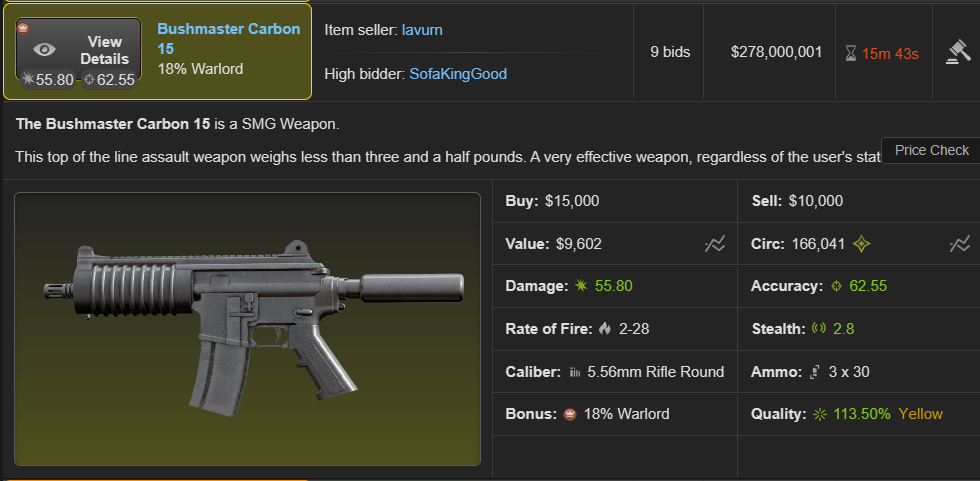
No API Keys needed Works on Torn PDA Auction history updates every 30 minutes
After seeing the great implementation of Full Auction Sale History by Marches, I thought it'd be super nice if I could click a button and quickly check how much an item similar to the one I'm looking at has sold for in the past at the auction house, and for that I built this script.
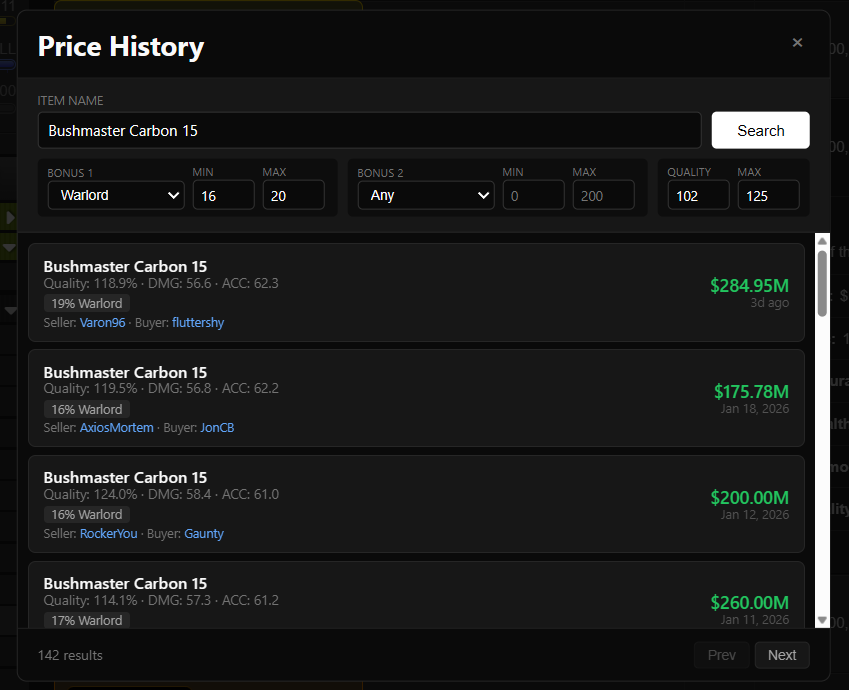
The script adds a price check button to items on the auction house, inventory, display cases, faction armory, item market and bazaars. When you click it, the bonus/quality fields automatically get filled in based on the item you're looking at, and from there you can quickly see how much similar items have sold for in the past.
You can also change the search parameters manually if you'd like.
Also supports very rare and extremely rare items, as they can still be auctioned.
Screenshots
Features
Adds a price check button to RW item descriptions (and rare items)
Automatically fills in bonus and quality filters based on the item
Searches auction sale history dating back to the first auctions for similar items
Shows seller and buyer information
Works on Torn PDA
Supports very rare and extremely rare items
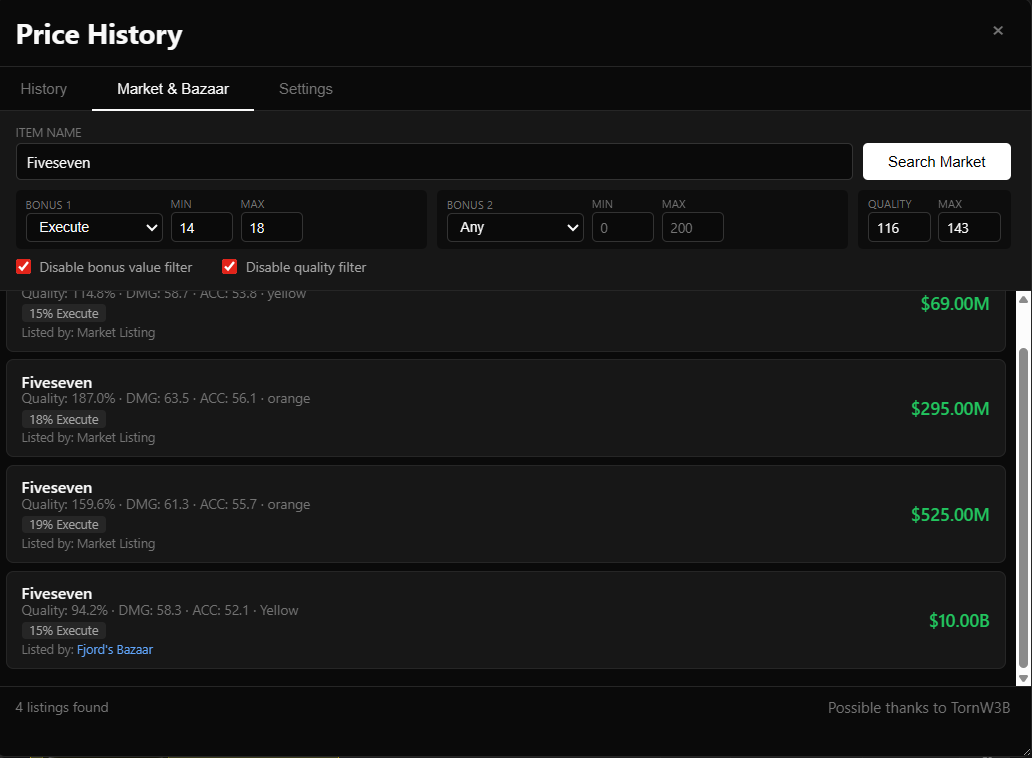
Includes a Market & Bazaar tab to check for current listings
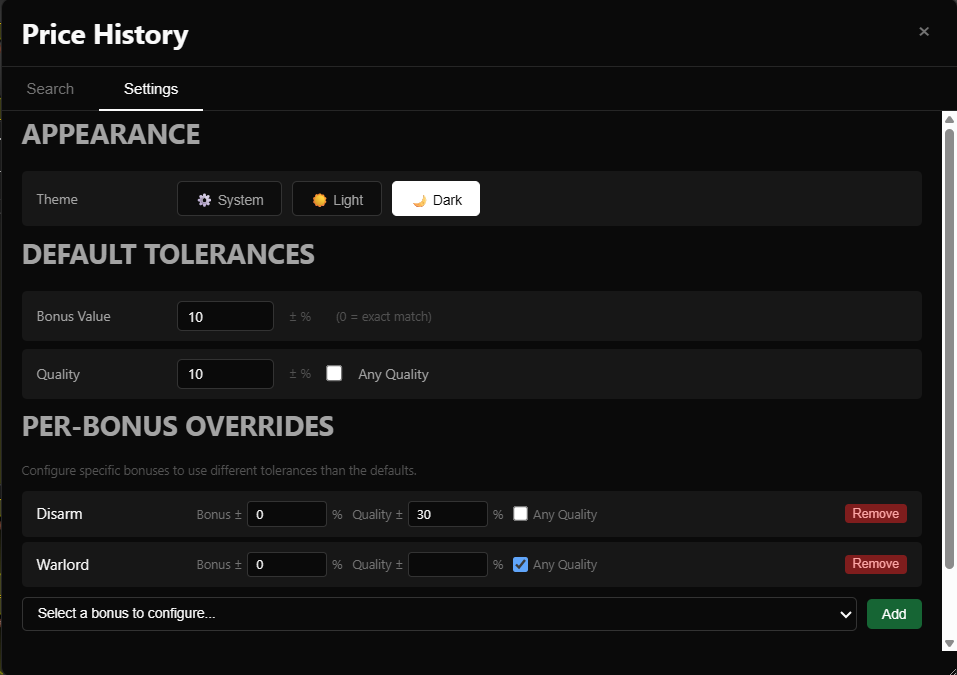
Includes a settings tab for further details
Movable and resizable modal on PC
Light mode / Dark mode support
Market & Bazaar listings
There is also a Market & Bazaar tab that shows currently listed similar items on the item market and in bazaars. Makes it a lot easier to compare sold prices with what’s currently up for sale.
By default, the script fills in the bonus and quality options by using a +-10% margin of the gear you are looking at, but you can change that in the settings tab.
You can also choose to ignore quality entirely by ticking the Any Quality option.
You can override the default settings with per-bonus rules. For example for revitalize or warlord you may want to only look at the exact same bonus value and not care about quality at all. In that case, select the bonus from the list, set the bonus margin to 0%, and tick Any Quality. From then on, whenever you look at an item with that bonus, your default settings will be overwritten by your per-bonus setting.
These settings are also exportable and importable, so feel free to share any configs you make in this thread as well.
Supported pages
Auction House
Inventory
Display Cases
Faction Armory
Item Market
Bazaars
Changelog
9/22/2026
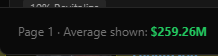
Added average price of shown items on the bottom left corner
Minor UI fixes
8/14/2026
Added damage and accuracy filtering options, increased search speed
Filters are collapsible on mobile to free up UI
7/13/2026
Added a new setting to display a price check button directly on your profile & display case without needing an item
7/3/2026
Changes on the database side to make queries faster and have less timeout errors
6/21/2026
Fixed timeout error didn't work very well
6/17/2026
Fixed broken armor bonuses
5/14/2026
Fixed autofill and other UI issues
3/7/2026
Fixed bug causing the script to not work on the AH for some users
2/21/2026
Optimization update
2/20/2026
Added Market & Bazaar tab
New toggle to quickly disable quality & bonus value filters
1/31/2026
Light mode/Dark mode setting
Settings tab for changing the default +-% search margins and specifying bonus specific rules
Movable and resizable modal (on PC)
Now works in faction armory as well
1/26/2026
Added support for very rare and extremely rare items
Now works in inventory, item market, bazaars and display cases
Added seller and buyer information
Leave a comment/shoot me a message if you encounter any issues.
100% local translation, messages never leave your device No API key needed PC & TornPDA
OD-NoK reached out to me and requested a script that would translate only the chat for his french speaking faction mate, as the browser's translator would make his UI bug out. With approval from OD-NoK, I'm sharing the script publicly so that others may enjoy it as well.
It can automatically translate incoming TORN chat messages to the language of your choosing, it also adds a button you can press to translate the messages you write.
The translation is performed completely locally on your device. The first time you select a language, the script will download a translation model. If you're on Chrome or Edge, it will download one from the browser's translation models, if you're on mobile or on a different browser, it will download a translation model from Mozilla, and use the open source Bergamot engine to do the translations.
Features
Automatically translates incoming chat messages
Adds a 🌐 button for translating your own message before sending it
Supports a wide range of languages through downloadable local models
Downloads only the language models you choose
Caches downloaded models for reuse
Can use browser specific translation when available (Chrome and Edge)
Includes an option to clear downloaded models
Works on PC and TornPDA
No TORN API key required
How to use it
Install the script from Greasy Fork.
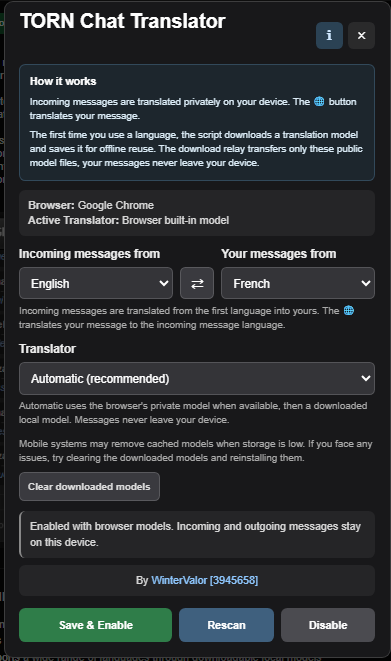
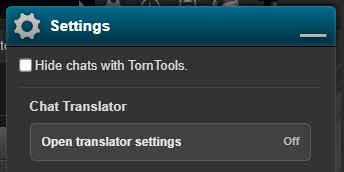
Open the Chat Translator settings inside TORN settings.
Choose the language used by incoming messages and the language you want to translate them to.
Select Automatic or the downloaded local model and press Save & Enable.
Wait for the selected language model to download the first time.
Incoming messages will then be translated automatically. To translate your own message, type it in your language and press the 🌐 button.
Privacy
Chat messages and translations never leave your device. The translation engine runs locally inside your browser or TornPDA.
TornPDA may use a Cloudflare relay I've setup while installing a model, because it blocked the original model download hosts. The relay only transfers the translation model files. It never receives your messages or translated text. Once installed, the model is reused locally and the relay is no longer used.
Mobile operating systems may remove cached files when storage is low. If that happens, the script will simply download the selected model again when you enable it.
TornPDA known limitation
TORN currently blocks WebAssembly on some pages, including Events and Forums. Since TornPDA runs userscripts as part of the current page, local translation cannot start while one of those pages is open. This is a known issue and I am aware of it. Open chat from Home, Travel, Item Market or another compatible TORN page and translation will work normally. Clearing downloaded models will not fix this particular error.
This restriction comes from TORN’s page-specific security policy rather than the translation model. PC userscript managers such as Tampermonkey run scripts separately from the page, so this limitation does not affect PC users. I've opened a bug report regarding it on the forums.
Notes
The first model download can take a little while, especially on mobile.
Some non-English language combinations translate through English and may require two models.
Available language pairs depend on the browser and downloadable model availability.
The quality of the translations may not match Google Translate or another translation service, as these are small models that run on your device. Sorry for the inconvenience.
Leave a comment or shoot me a message if you encounter any issues. If possible, include what device you are on and what browser you use, selected languages and the page you were viewing.
I definitely do not support her actions, especially using your IRL images as her profile picture, but why in the hell did you mug her to remove her from the wall? Anybody would get mad if they got mugged cause they joined a friendly wall. You did not know the mug would be a nominal amount, it could have been in the millions as well. Would you then return the money?
I wonder if we dropped down to plat 3 from diamond 1 when we lost our war due to the latest changes, or was it because losing that war reduced our elo that much.
I assume its the former, as we were around 125th in ranks and WTF Ducks was around 105-110~, I don't think losing that war would set us back 50+ ranks and cause us to drop out of diamond normally
I thought the 100k bs cap would be there for the duration of the event. The whole event is kinda pointless without it no?
The player/sponsor who's willing to spend the most money on happy jumps will just win the tournament, which is against the concept of bum fights in my opinion. I was hoping to see some unique builds and rng shenanigans in the fights, now its just up to the stats
For some reason the 2 keys to the left of the backspace will also work, even when you're not using a US/UK keyboard and your + or - keys are not located there. < This could be a bug or a feature, not sure.
Factions who have been strongly affected by these changes will either see a one-off rank adjustment during the next matchmaking period, or will see gradual drift over time in alignment with the existing promotion/demotion rules, depending on the specifics of how and why they're affected.
Now, to qualify for Diamond, you must both be one of the top 180 factions (by rating) and have ≥75 members.
Hypothetical question, if all factions that are in top 180 (by rating) drop down to <75 members, there will be 0 diamond factions? (assuming those factions will still have enough stats to take up a space in the top 180 with <75 members)
Probably because you've gone more than 24 hours without praying many times during those 14 days. It is recommended to pray twice a day (~12h intervals) for around 2 weeks for the merit.