Skip to content
TORNLIFE More

The_Baron: forum

The_Baron [1467784] Level 100 The Rifle Company TRC Trooper

Forum posts (Torn's count)
3,244 observed
Archived posts
3,044
Threads started (archived)
30

Boards

From the 2,000 newest archived posts.

Threads started

Most-liked posts

Likes as archived at fetch time, adjusted for how long each post had been up. Scored posts only; the full score pass runs after the import.

[100 UpVotes+]Blacklist confirmation/Adding notes · · 106 likes

I am aware many players may be facing this annoying task when you blacklist someone there isn't an option to add a note immediately. You'd have to go hunt for the name in your 100+ list of blacklisted people to add that note. (SKIP TO THE BOTTOM FOR TL;DR)

Ain't nobody got time for that!!

They need to bring back the old way of adding people where it takes you to the blacklist page and allows you to add a note before confirming you are adding the person to the blacklist. It was so efficient that way.

Or on said's profile while adding them to the blacklist, just like you have confirmation for sending money the players name is already accounted for and at the bottom we have adding a message as optional, we could also have exactly this for blacklisting and all you have to do is add a note(Leave blank if you like hunting for names) and confirm you are adding them to the blacklist. This will save a lot of time for people hunting for 1 or 3 names in a list of 100+ people. Also maybe even adding a search feature in the black list to find that person might just help skip the whole process of searching for a name that was on page 2 but you are now on page 5 and need to start over again because on page 5 that's where the blacklisted players with notes are. But overall the search feature would also help even if they did have notes. But the notes part is important because it tells a story about the blacklisted player.


TL;DR Adding/bring back confirmation prompt  with the ability to add notes immediately before adding a player to blacklist instead of hunting for 1 name in a list of 100 names to add notes as to why you are blacklisting them.

NEED 100+ UpVotes!!


Edit: Addition being made.

Litzy [2093251]

"Same for friendslist... I often add people who've revived me and it would be nice to quickly add a note to that person instead of hunting through the list to find them"


It makes sense for both friends list and black list to have this. So changes made to he blacklist regarding my suggestion should also be done to friends list. :)
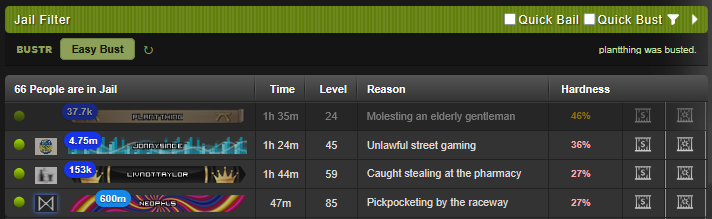
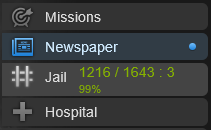
[Script + PDA] BUSTR: JAIL BUST ASSISTANT · · 33 likes


CURRENT VERSION: BUSTR v2.23.1


[ INSTALL - BUSTR: JAIL BUST ASSISTANT ]


SUPPORTS PDA ✔


TL;DR: See your real odds and bust the best target in a tap, the sharpest busting script you can run. Real odds on every captive, the best bust one tap away: smarter and faster than anything else out there.


A fork of BUSTR v1.0.11 by Adobi [2443510] & Ironhydedragon [2428902], posted with their blessing. They built the original hardness score and penalty tracker; this build keeps those and adds a success % model on top. Credit where it's due, and thanks to Ironhydedragon [2428902] for the go-ahead.


You click Bust, you get jailed, and you never really knew the odds. The original BUSTR told you how many busts you had left. This one also tells you your chance on each individual prisoner, and the number is fitted against real bust outcomes rather than guessed.

Small settings panel, its own button in the nav bar with your live numbers on it. Works on desktop and on the Torn PDA.


What it does

- Success % on every prisoner in the jail list, next to their hardness score.
- Hardness score and easiest-first sorting, from the original BUSTR.
- Bust budget - tracks Torn's hidden penalty and estimates how many busts you have left before failure gets likely.
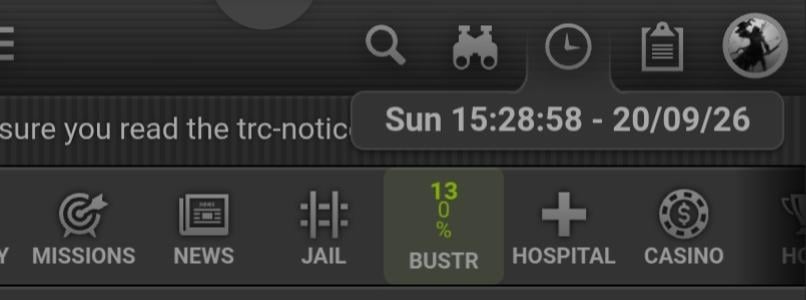
- Live penalty % on the nav button, coloured green/orange/red at a glance.
- Learns from your own results over time, if you leave self-calibration on.
- Every setting has a "?" that explains what it actually does.
- One-click scoped API key - no Full Access key needed.
- Optional Quick Bust / Quick Bail (off by default): relabels your own bust/bail link so your single click skips Torn's "are you sure?" step.
- Optional Easy Bust / Easy Bail (off by default, behind a consent prompt): a one-tap button on the jail header that sends one request for the single best shown target - bust picks the highest odds, bail the cheapest. Strictly one tap = one request; see the rules note below.
- In-place jail list refresh that reloads just the captive list, no full page reload.


Why the numbers are different

The success model is built from the community Advanced Jail Bust Guide, then fitted and cross-validated against real logged bust outcomes: first 81 of my own, and since refined against 1,200+ pooled outcomes from other players running the script. Two things came out of that:


  • Penalty hurts about twice as much as the guide's formula says. Confirmed on two separate batches of outcomes that agreed independently.
  •  It will never show you 100%. In the pooled outcome data even the best-looking targets succeed only around two-thirds of the time. So the displayed range is roughly 27% to 67%, because an honest 67% is worth more than a flattering 100%. If a number looks lower than you expected, that's the point.


Not a bot, and within the rules

BUSTR never automates: no loops, no timers, no walking the target list, and it never acts on its own. By default it is read-only - it reads your own official API data (with a key you create yourself), reads the jail page already in front of you, shows its own numbers in its own panel, and logs outcomes only by watching clicks you make. It also has opt-in helpers, off by default, that act only when you tell them to: Quick Bust relabels your own click to skip Torn's confirm step, and Easy Bust (behind a one-time consent prompt) sends one bust request for one target each time you tap its button. Both stay strictly one deliberate tap = one request, to the same jail page - never a loop, never more than one per tap. You are always the one deciding to act.


API Terms of Service


Your API key never leaves your device: it is used only for Torn's own API. By default everything BUSTR stores stays in your own browser. There is one optional extra, cloud sync, which is off unless you turn it on (see below).


Data Storage Data Sharing Purpose of Use Key Storage & Sharing Key Access Level
Locally by default; bust history also stored in the cloud if you turn on cloud sync Nobody by default; bust history shared with the maintainer only if you turn on cloud sync Assistive use, plus improving BUSTR and restoring your history across your devices Stored locally; never shared Custom (see below)


(Cloud sync is opt-in and off by default; see the "Optional cloud sync" note below.)


Optional cloud sync (off by default): BUSTR can optionally back up your bust history so it follows you across devices. It is opt-in, defaults to off, and asks for explicit consent the first time you switch it on. When it is on, only your bust history (the same data behind the debug export) is stored in the maintainer's database, keyed to your Torn player ID; your API key is never uploaded. You can turn it off and delete your cloud copy at any time from the settings panel. Leave it off and BUSTR behaves exactly as before, fully local. When it is on it is deliberately lightweight - a whole busting session saves as a single upload and it only checks your other devices about once an hour - so it adds no noticeable overhead.


Selections used: `user` -> `basic` (your level), `perks` (your bust perks), `log` (your own bust history). Nothing else is requested. **You do NOT need to give BUSTR a Full Access key** - use the custom key link below, or the "Create a key for BUSTR" button inside the settings panel, which opens the same thing with the boxes already ticked:


[ Custom BUSTR API KEY ]


https://www.torn.com/preferences.php#tab=api?step=addNewKey&title=BUSTR&user=basic,log,perks


Install

Desktop: install Tampermonkey or Violentmonkey, then open BUSTR: Jail Bust Assistant + PDA (Baron) and click Install.


Torn PDA: Settings > User scripts > add the same link. If the PDA's own key doesn't work, the settings panel has an API key box you can paste your own into - it takes priority.


Bugs and feedback

Settings has a "Copy debug export" button - it copies a snapshot with your API key stripped out (source and length only, never the key itself). Send it, or any suggestions, to The_Baron [1467784].


Free, open source, MIT licensed. Original by Adobi [2443510] & Ironhydedragon [2428902]. Happy busting.


Help improve BUSTR: enable cloud sync to share your busting data. Every perk setup counts, whether you are fully perked, lightly perked, or running no busting perks at all. The more variety we get across company and faction perks, the better BUSTR works for everyone. Cheers!


MAFIA on STRINGS [GREEN TEAM WINS] · · 12 likes

There's already food here? Has Gaston joined this game too? o.O

Holidays! - Game over · · 8 likes

[SCRIPT + PDA] FLIPR: Flip Profit Tracker · · 18 likes

CURRENT VERSION: FLIPR v2.43.0


[ INSTALL - FLIPER: FLIP PROFIT TRACKER ]


SUPPORTS PDA ✔


You buy cheap, list it, and once Torn's 5% tax lands the "profit" is a loss. FLIPR tracks what you paid, warns you before you list too low, and shows your real profit over time.


Small floating panel. No spreadsheets, no manual entry. Works on desktop and on the Torn PDA.


What it does


  • Logs your buys automatically - Item Market, Bazaar, Points Market. Nothing to type in.
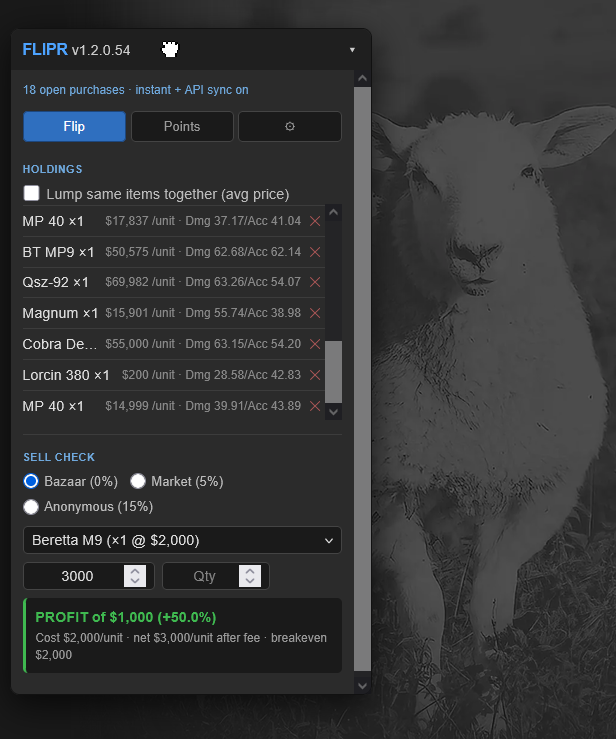
    - Holdings - what you paid per item, and your breakeven price after tax.
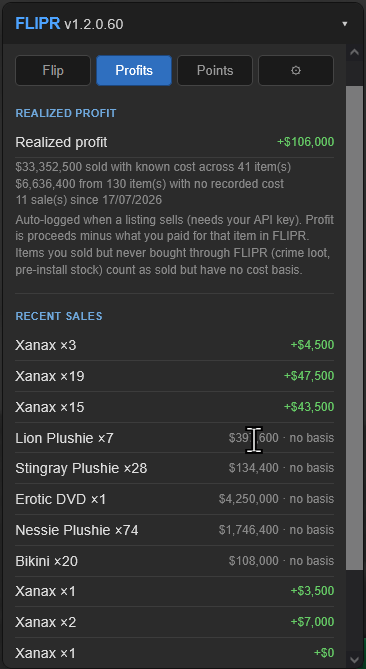
    - Profits tab - your realized profit over time, matched against what each item cost you.
    - Sell Check - type a price and quantity, see profit or loss instantly (5% market, 15% anonymous, 0% bazaar).
    - Breakeven warning while listing - catches a price below breakeven before you submit.
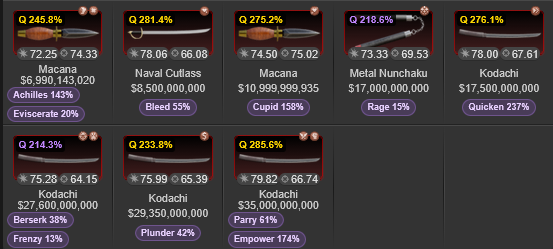
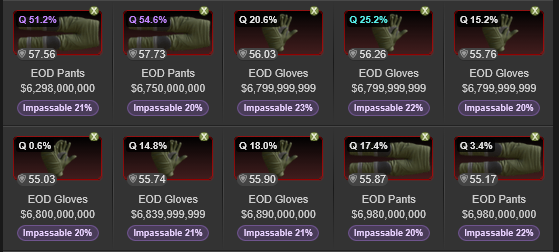
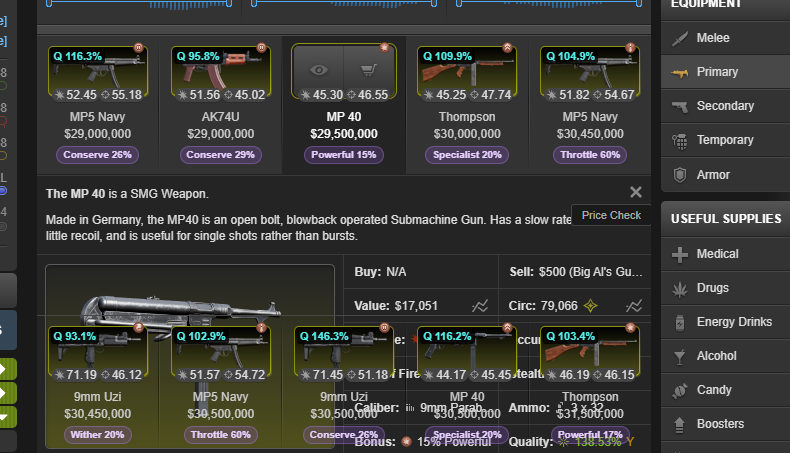
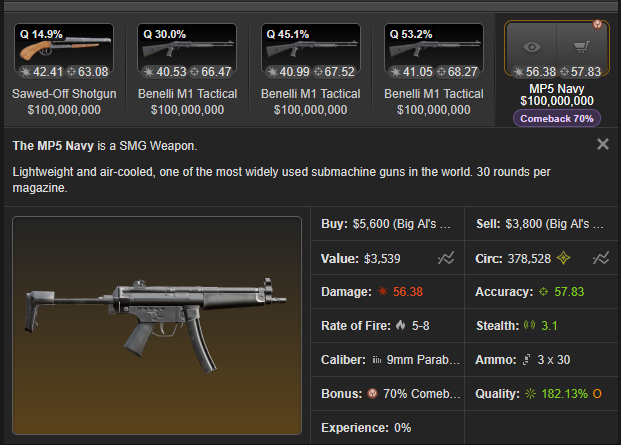
    - Quality at a glance - every weapon and armour shows a "Q %" quality badge and its bonuses, across the Item Market, the Bazaar, your Items page, and any Display Case.
    - Item Market quality filter - set a minimum Q % (and, optionally, a bonus name) and matching listings light up. Highlight-only: nothing is hidden or reordered.
    - Weapon stats per copy - records each weapon's own Damage and Accuracy, so two of the same name stay separate.
    - After-tax helper - click an Item Market listing to see its price minus the 5% tax.
    - Points tracker - its own tab for Points Market buys.


Read-only, fully within the rules


It never clicks, submits, or fills anything for you. It only reads your own official API log (with a key you create yourself) and the numbers Torn already shows, then displays its own figures in its own panel. Nothing leaves your browser except calls to Torn's own API, with your key, for your own account.


---


API Terms of Service


Your API key never leaves your device - it is used only for Torn's own API - and everything FLIPR stores stays in your own browser.


Data Storage Data Sharing Purpose of Use Key Storage & Sharing Key Access Level
Only locally, in your own browser Nobody - nothing is sent anywhere but Torn's own API Assistive use only; only you have access to your data Stored locally; never shared Custom (see below)


Selections used: `user` -> `log` (your own buys and sells) and `torn` -> `items` (item names). Nothing else is requested. **You do not need to give FLIPR a Full Access key** - use the custom key link below, or the "Make a FLIPR-only key" button inside Settings, which opens the same thing with the boxes already ticked:


[ Custom FLIPR API KEY ]


https://www.torn.com/preferences.php#tab=api?step=addNewKey&title=FLIPR&user=log&torn=items


---


Install


Desktop: install Tampermonkey or Violentmonkey, then open https://greasyfork.org/en/scripts/585457-flipr-flip-profit-tracker and click Install.


Torn PDA: Settings > User scripts > add the same link. Nothing to paste - the PDA supplies its own key.


Bugs and feedback


Settings has a "Copy debug export" button - it copies a snapshot with your API key stripped out (source and length only, never the key itself). Send it, or any suggestions, to The_Baron [1467784].


Free, open source, MIT licensed. Happy flipping.


NEW!!


Old


Recent archived posts

[Script + PDA] BUSTR: JAIL BUST ASSISTANT ·

CURRENT VERSION: BUSTR v2.23.1


[ INSTALL - BUSTR: JAIL BUST ASSISTANT ]


v2.23.1

  • [FIX] "Active on: Jail page only" now works on Torn PDA, the same as on desktop. Set to jail-only, BUSTR is meant to disappear off the jail page (nav badge and colours hidden), leaving only its settings entry. On desktop it did; on PDA the busts-left/penalty badge stayed visible everywhere. The cause was a CSS specificity clash - on PDA the badge sits inside BUSTR's own nav column, whose layout rule is an ID selector that outranked the plain "hide" rule, so the badge was never actually hidden. The hide rule now matches that specificity, so jail-only truly hides the badge off the jail page on PDA too. The BUSTR nav column itself stays (it is how you reach Settings), exactly like the desktop sidebar entry.
  • [FIX] Switching the "Active on" setting now takes effect immediately. Changing between "Anywhere" and "Jail page only" used to wait for the next refresh tick (up to your refresh-rate seconds) before the badge showed or hid; it now applies the moment you change the dropdown, on both desktop and PDA.


v2.23.0(testing)

  • [CHANGED] Easy Bust now sticks with a failed target instead of skipping to the next person. Before, one tap busted the best-odds captive and then moved on regardless of the result - so if the bust failed, your next tap jumped to someone else and left the one you wanted still in jail. Now, when an Easy Bust fails and that captive is still jailed, the next tap retries the same person, and keeps offering them until they are busted or no longer in jail - only then does it advance to the next best target. The failed captive's row stays highlighted (not dimmed) and the status line reads "Failed to bust X. Tap again to retry." This is still strictly one tap = one request: nothing loops, repeats, or fires on its own - the retry only changes which captive your next manual tap targets, never when BUSTR acts. Bust them, or get jailed on the attempt, and the retry clears. (Easy Bail is unchanged - a bail "fail" usually means gone or unaffordable, where retrying wouldn't help.)

[Script + PDA] BUSTR: JAIL BUST ASSISTANT ·

Right I believe if should have hidden the penalty decay and the busts available, but the button to the bustr settings would still remain there even when set to jail page only. similarly to Desktop PC.

When setting to jail page only - the Bustr settings button Will always be there for ease of access. numbers)  available.


At the same time it would be dormant until you visit the jail page, which you'll know it's operating again when you see the penalty decay(%) and the busts(non-negative integers/Whole


Like this for example.

Now regarding PDA... I rarely use PDA... I rarely test on PDA.

I did have a quick look, my preference would be for it to also be dormant on jail page only, whilst maintaining the Bustr button next to the jail button in the navi-bar. It would just not tell you your bust avail, and bust penalty until you go to the jail page. On my PDA it currently looks like this.


I am wondering what exactly is annoying about it. So on Only Jail page, those numbers should just disappear, and render the script dormant, until you visit the jail page, and then upon visit, it should wake up and still calculate your decay, and your avail busts. but the Bustr Settings Button will still be there for you to access the scripts Settings if need be. I find it less tedious looking for it towards the far right end of the navi-bar on mobile compared to Desktop where by it's hoisted below TornTools (assuming you're using TornTools, I did not account for someone who doesn't have that.) or simply just right down the navi-bar on PC, which was just okay for me.

The only thing that comes to mind is making it so that you can place it anywhere on the navi-bar to your liking as everyone has their own preferences on this kinda of stuff anyway.

Would love to hear more.

[SCRIPT + PDA] FLIPR: Flip Profit Tracker ·

fixed some issues with images not appearing as they should in the item market:


should now appear properly. :)

Update should have already been pushed via Github auto update.

Will update this when I update the greayfork.

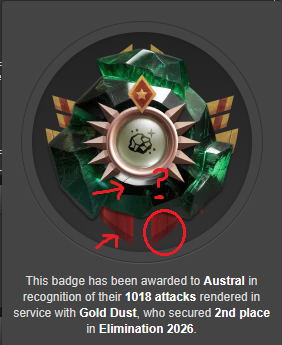
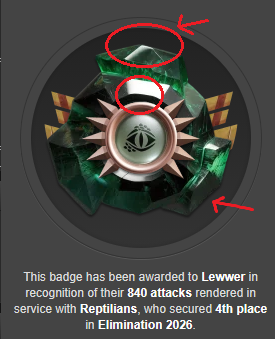
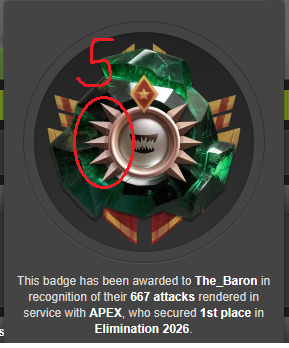
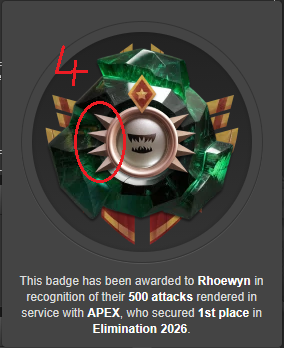
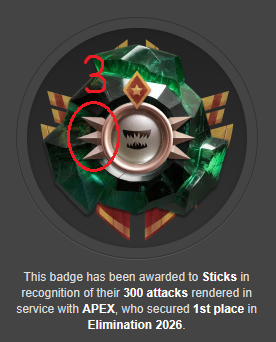
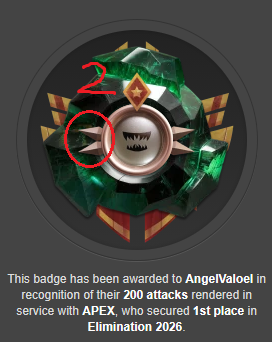
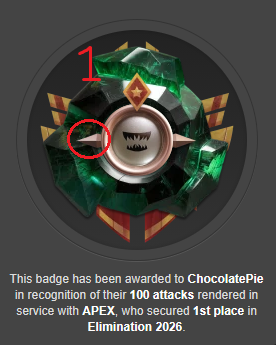
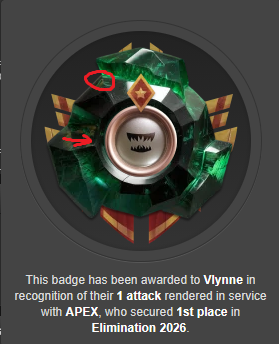
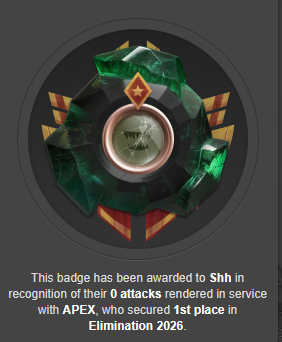
[Poll] The Scuffed Elimination Badge · · 2 likes

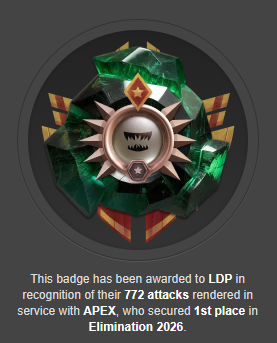
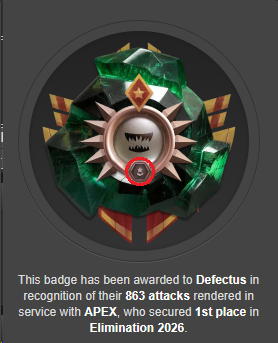
ah yes you're right on the circle for captains and vice captains, I did not even think about that at all!

[Poll] The Scuffed Elimination Badge · · 32 likes

There is actually a lot more little details you have not mentioned as well. Also worth noting, Defectus is the only one with that other badge at the bottom middle. but yeah just little details like that. pretty cool actually.


s


World War 2013 · · 1 like

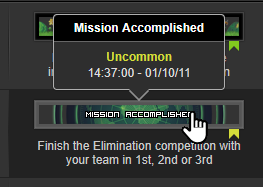
Yeah Myanmar, we were in the same team back then that means, because i remember winning it already and getting ALL the Honor bars and merits. 

World War 2013 · · 1 like

I was in Myanmar, I'm very sure there was a time we won.


I wish I had screen shots of that. I had to re-earn some of the Honor bars again. But i could be wrong.


I remember finishing first, and how all that I had earned back then was to be re-earned again through elimination.

Elimination drama thread · · 3 likes

I WAS JUST COMING TO POST THIS LOOOOOL HAHAHAHAHAHA

Elimination drama thread · · 2 likes

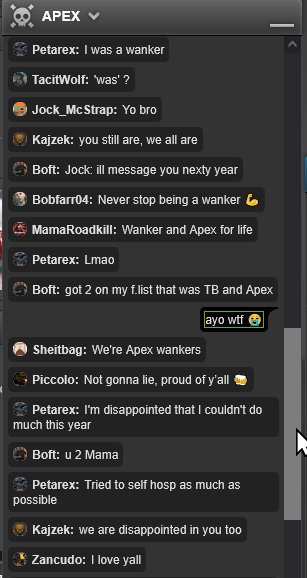
Never a dull moment in APEX Chat.

Elimination drama thread · · 2 likes

Very well said fellow CHOMPER! {෴ • マ

Elimination drama thread · · 26 likes

No doubt in my entire Being, had it been HV vs APEX for the finale, Apex would still win. :) After APEX technically 1v2 REPT AND HV at the same time. It should have been a given how ferocious APEX is.

Therefore I think it's safe to say even if it ended up being another 1v2 (APEX VS HV/GD) we'd still hold our own and take out HV and still get past GD. I am very sure GD already knew this. Also I don't think GD would survive HV either if it was the other way around, so tbh it doesn't really make much of a difference for GD. I'm sure they knew either option would still result in them being 2nd.


EDIT:


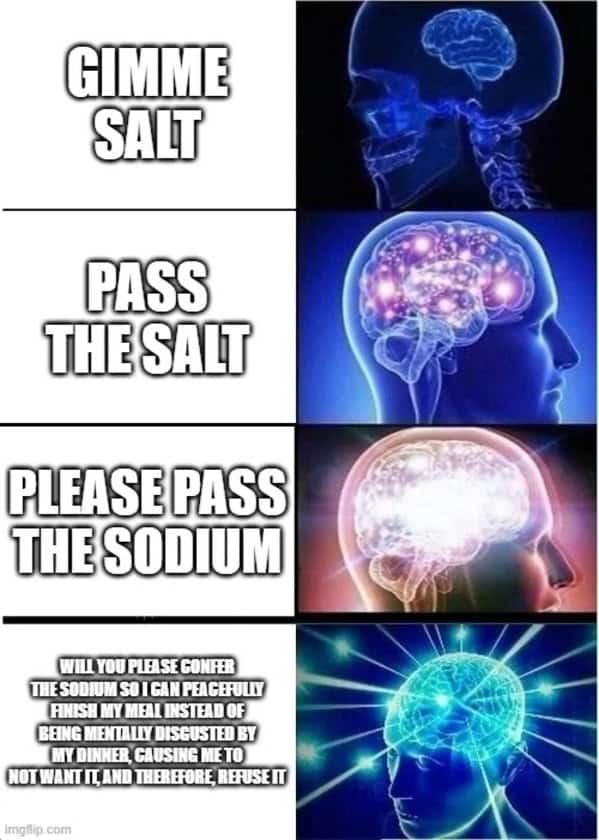
Your Salt is showing.

Elimination drama thread · · 2 likes

A reliable source (okay, fine, it was me) claims APEX’s alias is Unemployed. Take it for what it's worth.

Elimination drama thread · · 8 likes

As my brother in Christ said:

"RatUser [4254180] — 22:18

3k ticket lead? Good so now it's a fair fight"


{෴ • マ HERE COMES THE CHOMP!!!

Told You So · · 1 like

This comment is ⭐⭐⭐⭐⭐.

Baron approves.


Elimination - Final 3 · · 1 like

Very true, was a horrible news article to read. Although it did reveal some interesting screen shots which was the only useful thing in the articles. other than that whatever SV wrote was whilst his head was up his arse honestly.

Warned for attempting to steal private information · · 2 likes

Now that makes the staff look bad! Great job on the consistency. :)

Warned for attempting to steal private information · · 1 like

Why did staff say it was a joke?

You would need to show the entire context of that appeal. Also if it really was a joke... you technically just lied to them and also us.

You came with a case that PW means Private Message in Polish, but in your appeal, they are responding to one of your appeal messages that you claimed it was a joke rather than language barrier of some sort. Your Appeal and your forum thread lack consistency. You're the problem here.


Pretty much shooting yourself in the foot with this post if i am being honest.

Elimination drama thread · · 5 likes

Your salt is showing.


Elimination drama thread · · 5 likes

Wait we are?


I'll be back, need to talk to LDP real quick!!!


Sticks Out (of Elimination) · · 5 likes

UNGA BUNGA!!!!!


reposting because it was so unreal!!!


[image: i.postimg.cc]